

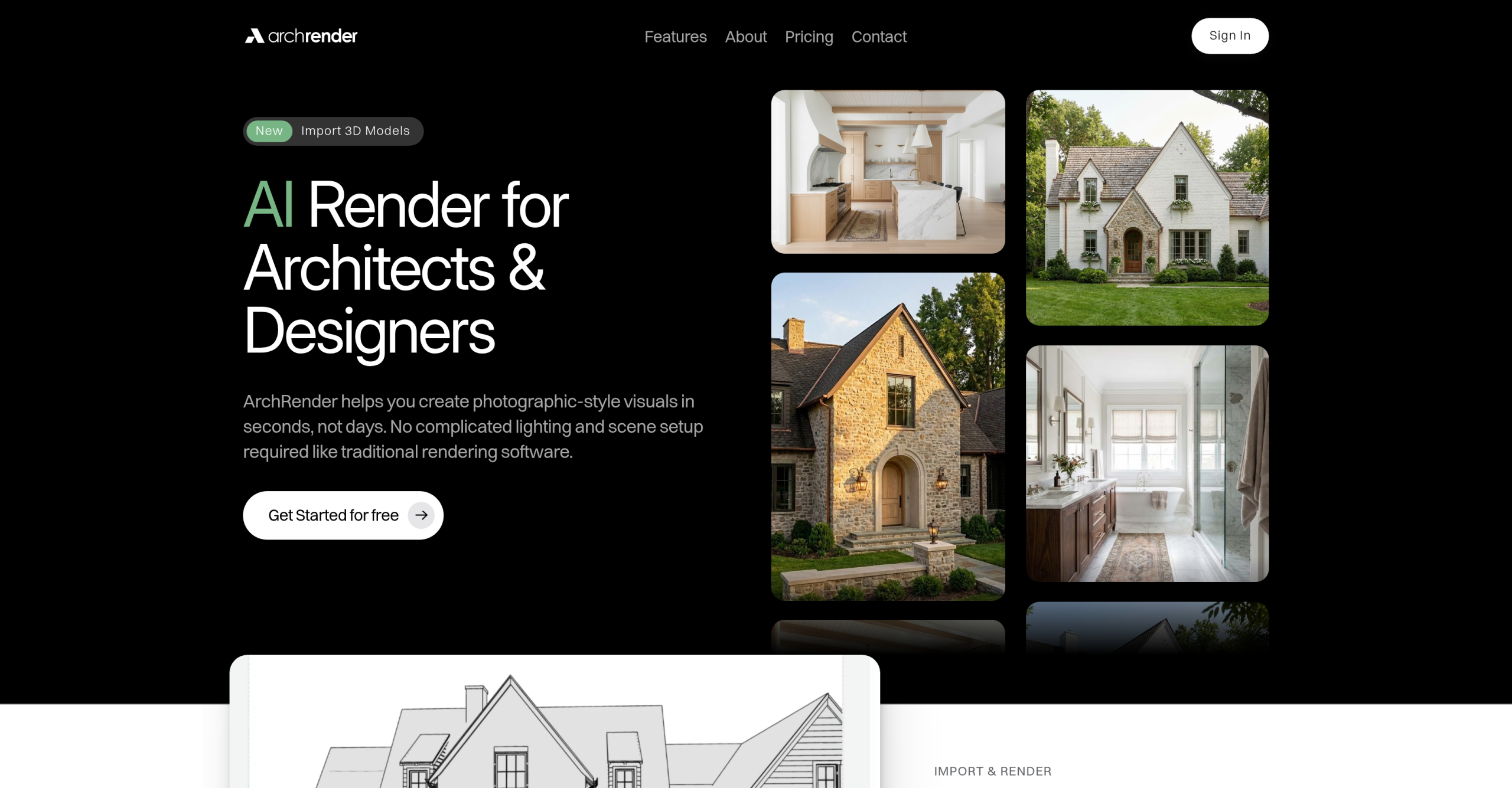
ArchRender, a rendering tool, made its initial debut on March 17, 2026, marking its entry into the competitive architectural visualization market. what it does is convert 3D models, elevation drawings, sketches, and photos into photorealistic architectural visualizations with remarkable speed. This tool directly addresses the common challenges of traditional rendering software, such as complex setups, extended render times, and the need for specialized expertise, making high-quality visualization more accessible for architects, designers, and even homeowners. It’s clear that ArchRender aims to simplify a historically complex process. It offers a distinct approach compared to many image-to-image AI stylization tools.
Accelerating Architectural Visualization
ArchRender’s core strength lies in it can rapidly transform various inputs into detailed architectural renders. The output is photorealistic rather than merely stylized. The tool includes features like season and time of day control, environment selection, and 4K upscaling, which are crucial for professional presentations. Users can also employ prompt-driven controls to fine-tune materials, style, mood, and lighting, offering a level of creative direction that’s quite impressive. It’s got both "Render Mode" and "Edit Mode" within project-based workflows, ensuring organized iteration for ongoing projects.
ArchRender vs. Image-to-Image AI Tools
What sets ArchRender apart from many other AI rendering tools is its direct import capability for 3D model files (OBJ, FBX, GLB). This is a core architectural distinction. Although competitors offer similar features, taking a single screenshot and stylizing it, ArchRender allows users to upload an actual 3D model. You can manipulate camera angles, adjust the field of view, and render multiple perspectives from a single upload, all while preserving the original geometry. It’s a more reliable solution for iterative design. For example, if you’re using a tool that only processes images, you’d need to generate a new screenshot for every angle you want to visualize, which isn’t efficient.
| Feature | ArchRender | Typical Image-to-Image AI Renderers |
|---|---|---|
| Input Type | 3D Models (OBJ, FBX, GLB), sketches, photos | Screenshots, 2D images |
| Perspective Control | Manipulate camera, field of view from 3D model | Fixed perspective of input image |
| Geometry Preservation | Yes, preserves original 3D geometry | No, stylizes 2D pixels |
| Iteration Workflow | Project-based, multiple renders from one model | New input needed for each perspective/change |
| Output Quality | Photorealistic, 4K upscaling | Varies, often stylized |
This distinction is critical for architects and designers who need to explore multiple views and make design changes without constantly re-preparing their source material. It’s a time-saver, plain and simple.
Pricing and Team Collaboration
ArchRender follows a freemium structure with credit-based paid plans:
- Basic: $29/month (billed annually) or $39/month (monthly) — 150 credits/month
- Pro: $59/month
- Studio: $119/month — 1000 credits/month, unlimited projects
Rendering in "ultra rendering mode" consumes two credits per render, so users should monitor their usage. This predictable monthly cost can be an advantage over pay-per-render alternatives where costs fluctuate unpredictably.
For teams, the Studio plan at $119/month is designed for high-volume usage, offering 1000 credits/month and unlimited projects. It supports "Team account sharing," allowing multiple team members to access shared projects, prompts, and render histories. This capability is essential for collaborative design environments, as it helps keep renders and source files organized and enables ongoing iteration. Guides on "How to Use the Team Feature" are also available, confirming its collaborative capabilities. It’s clear they’re thinking about scalability for larger firms.
A Developer’s Hurdle: SketchUp Compatibility
While ArchRender offers impressive 3D model import capabilities, it doesn’t natively support SketchUp (.skp) files. Users working extensively with SketchUp models must export their designs to compatible formats like OBJ, FBX, or GLB before importing them into ArchRender. While a SketchUp extension is reportedly in development, its absence currently adds an extra step to the workflow for a significant portion of the architectural design community. It’s a technical limitation that power users will undoubtedly encounter, potentially slowing down their initial adoption or integration into existing pipelines.