

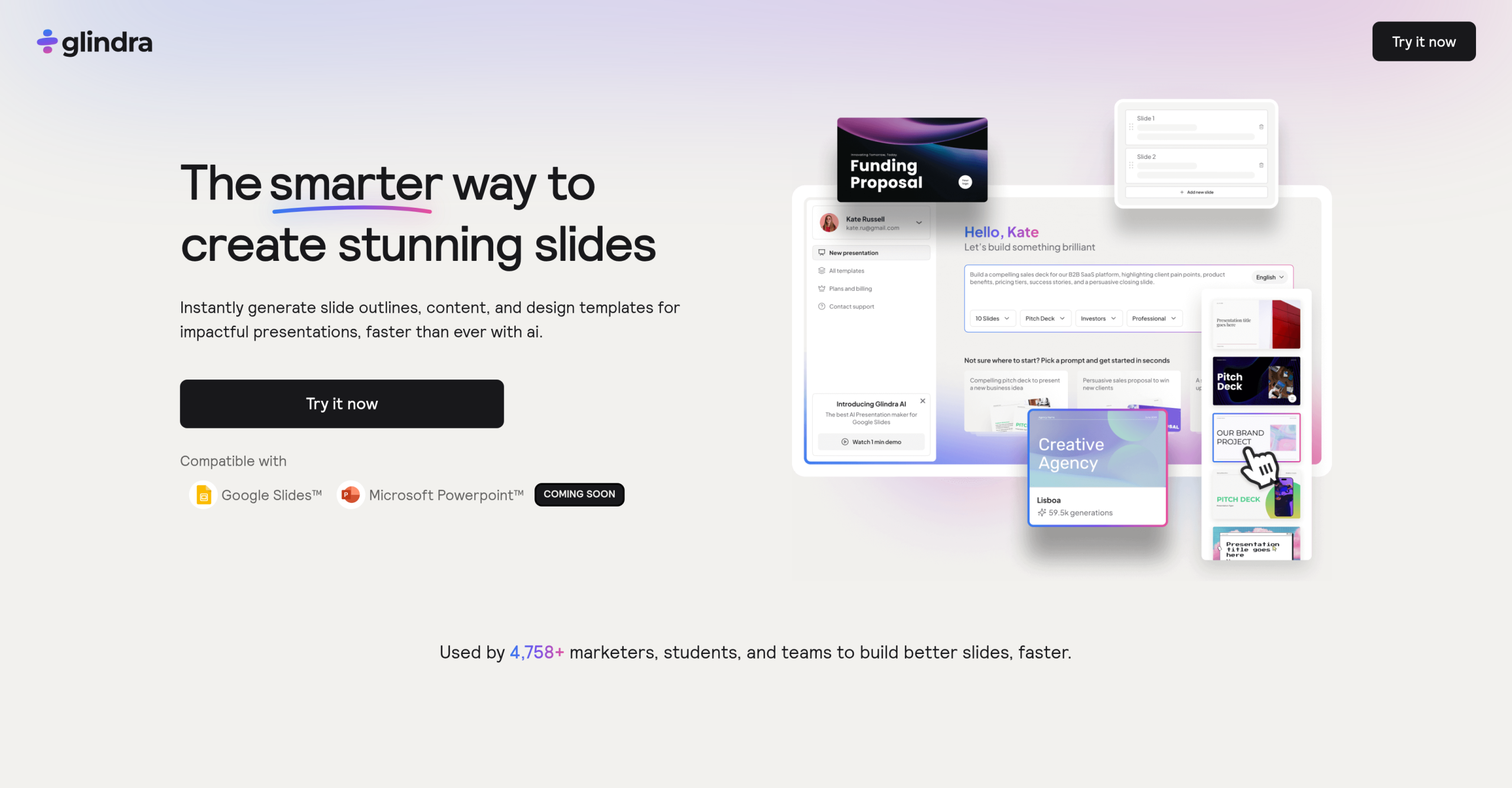
The frustration of staring at a blank slide, trying to conjure both compelling content and a visually appealing layout, is a common one for many professionals. It’s a time-consuming process that often yields monotonous results. Glindra aims to tackle this problem head-on, promising to transform prompts or uploaded content into structured, "stunning" presentations directly within Google Slides. It’s a bold claim for a tool that’s only been available since March 12, 2026.
Glindra’s Approach to Presentation Generation
Glindra is more than just another AI text generator; it’s designed specifically for presentations. Its core functionality revolves around taking a user’s initial idea, a prompt, or even a PDF document, and converting it into a full presentation. It’ll generate slide outlines, auto-populate content, and suggest design templates. This isn’t entirely unique in the market; tools like Gamma and MagicSlides.app offer similar AI-driven generation capabilities. Then again, Glindra’s direct integration as an add-on within Google Slides is a key differentiator. You won’t need to export and import, which could save some headaches.
Content Creation and Refinement
One of Glindra’s advertised strengths lies in its AI Slide Editor. This feature lets you rewrite, expand, or simplify slide content. It’s a useful concept, especially when you’re trying to condense complex information or elaborate on a point without manually retyping everything. The tool also allows users to mix designs across slides and add new ideas or visuals while maintaining layout control. This level of granular control is something that users of other AI presentation tools often complain about lacking. For instance, some users of Gamma have noted a "lack of precise control over elements," which Glindra seems to be trying to avoid.
Template Variety and Customization
Glindra offers 3 theme options in its free tier, expanding to 50+ theme options for paid subscribers. While 50+ sounds like a decent selection, the actual quality and adaptability of these themes matters more than the count. Many AI presentation tools struggle with producing truly unique or visually engaging designs, often defaulting to generic layouts. Glindra claims to create "stunning slides," but without user reviews or specific examples, it’s hard to verify if these themes genuinely stand out from the crowd. It’s not uncommon for AI-generated designs to feel somewhat uniform, regardless of the number of options.
Comparing Glindra to the Competition
When evaluating Glindra, it’s helpful to look at how it stacks up against established alternatives. Two prominent examples are MagicSlides.app and Gamma. Each has its own set of strengths and weaknesses, and Glindra positions itself to address some of their perceived shortcomings.
Integration and Workflow
Glindra’s most compelling advantage is its native integration with Google Slides. Not every competitor offers this level of direct integration. MagicSlides.app, for example, also integrates with Google Slides, but its output quality has sometimes been criticized. Gamma, while powerful, often operates as a standalone web application, requiring users to work outside their familiar presentation environment. In practice, Glindra users can stay within Google Slides, which could significantly improve workflow efficiency for those already embedded in the Google Workspace ecosystem. It’s a convenience that shouldn’t be underestimated.
Output Quality and Control
This is where the "stunning slides" claim becomes critical. Users on various platforms have criticized MagicSlides.app for producing "monotonous and boring slides with poor organization." Glindra aims to counter this by emphasizing adaptable templates and maintaining "total control of their presentations." Similarly, Gamma has faced complaints about "slow performance" and a "janky interface," which can hinder the creative process. Glindra’s focus on easy access to editing tools for refining content and design suggests it’s trying to offer a more polished and controllable experience. Then again, without widespread user feedback, it’s difficult to confirm if Glindra truly delivers on these promises of superior output and control.
Feature Comparison: Glindra vs. Alternatives
Let’s break down some key aspects:
| Feature | Glindra (Free/Paid) | MagicSlides.app (Free/Paid) | Gamma (Free/Paid) |
|---|---|---|---|
| AI Generation Limit | 5 (Free) / Unlimited (Paid) | Limited (Free) / Unlimited (Paid) | Limited (Free) / Unlimited (Paid) |
| Google Slides Integration | Direct Add-on | Direct Add-on | Standalone Web App (Export to PPTX/PDF) |
| Theme Options | 3 (Free) / 50+ (Paid) | Varies, often limited in free tier | Varies, often more design-focused |
| AI Image Generation | Coming Soon (Paid) | Often included in paid tiers | Often included in paid tiers |
| Document Upload for Gen | Yes (PDFs & documents, Paid) | Yes (PDF, text) | Yes (Text, documents) |
| Content Editing Control | AI Slide Editor, Remix Layouts | Basic text editing, limited layout control | More design-focused editing, less granular text control |
Glindra’s "coming soon" AI image generator for paid plans indicates it’s still developing some features that competitors already offer. This isn’t necessarily a drawback, but it’s something potential users should consider when comparing current capabilities.
Glindra’s Pricing Structure
Glindra mixes free tools with paid upgrades, which isn’t surprising for a tool in this space. The entry-level plan provides a taste of its capabilities, offering 5 AI generation uses and 3 theme options. This limited access means you’ll quickly hit a wall if you’re creating more than a couple of presentations. Paid options begin at $20/month (or potentially less with yearly billing). These paid plans release unlimited generations, unlimited edit and remix slides, access to 50+ theme options, and the ability to upload PDFs and other documents. The AI image generator is also slated for paid plans. It’s a fairly standard pricing model, designed to convert casual users into subscribers once they’ve experienced the initial benefits. There aren’t any mentions of sneaky add-ons like watermarks or download fees, which is a positive sign.
Limitations and Considerations
Despite its promises, Glindra is a very new tool, having launched on March 12, 2026. This recency means there isn’t a substantial body of user reviews or independent benchmarks to validate its claims of producing "stunning slides" or offering superior control. The lack of user feedback makes it challenging to assess its real-world performance, reliability, or the actual quality of its AI-generated content and designs. It’s possible that, like some competitors, the AI output might still require significant manual refinement to meet professional standards. Also, the "coming soon" status of the AI image generator means that a key feature found in some other AI presentation tools isn’t yet available.
When Glindra Might Not Be the Best Fit
While Glindra offers a compelling solution for quick presentation generation within Google Slides, it isn’t a universal answer. If you require highly customized, brand-specific designs with detailed animations and transitions, a dedicated design tool like Adobe InDesign or even PowerPoint with a skilled designer would likely be a better choice. Similarly, if your workflow is heavily reliant on Microsoft PowerPoint and you rarely use Google Slides, a tool with native PowerPoint integration, rather than just export options, would probably serve you better.