

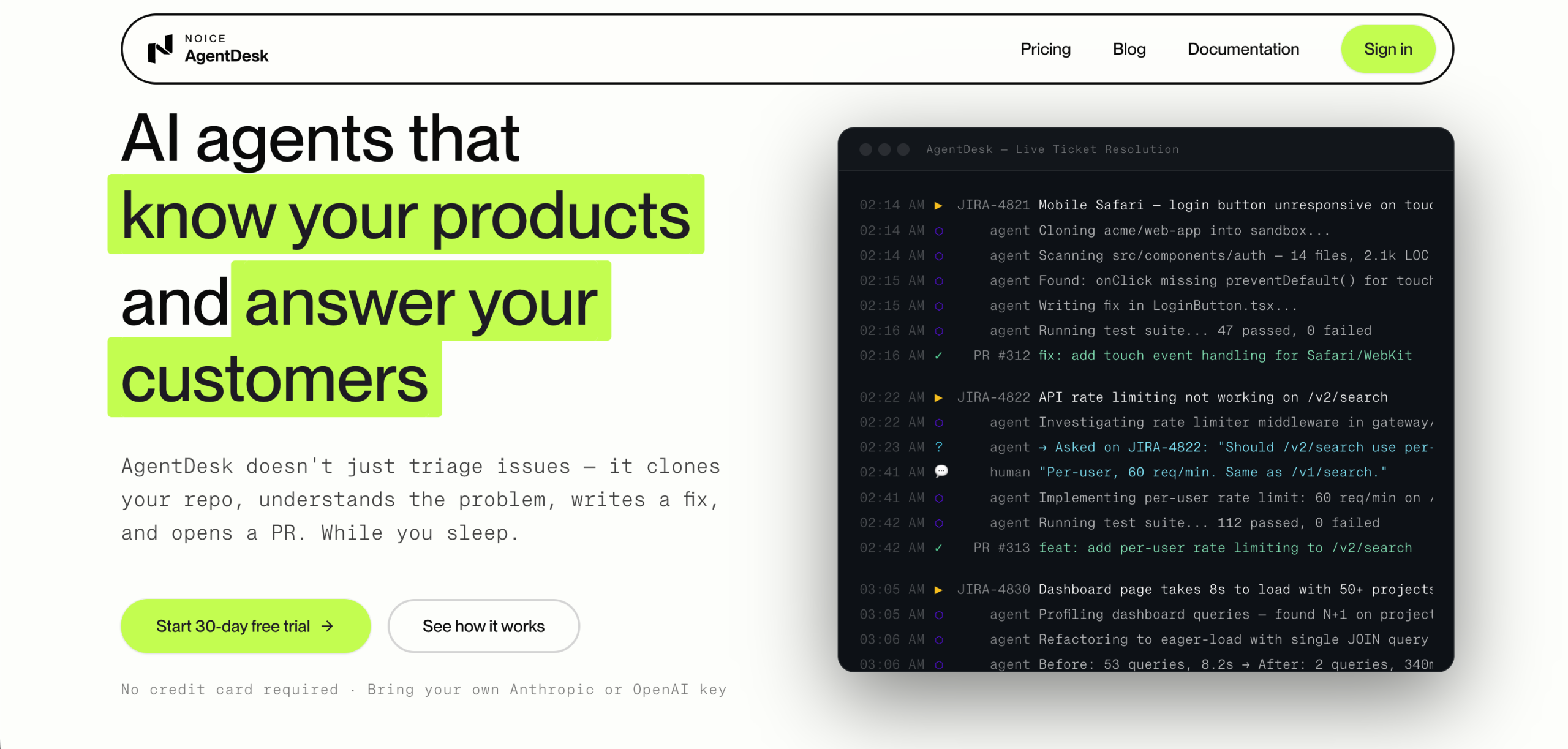
AgentDesk sets itself apart by using AI agents that don’t just suggest solutions, they actively implement them. This AI-driven platform autonomously understands problems, writes code fixes, runs tests, and opens pull requests in code repositories. AgentDesk agents perform hands-on tasks rather than merely drafting messages like traditional AI support tools, reducing the manual effort and time engineers spend on bug fixing and recurring technical support tickets.
On the flip side, note that a significant caveat right upfront: AgentDesk isn’t an all-inclusive solution for AI compute. You’ll need to "Bring your own API keys" for the underlying AI models (like Anthropic and OpenAI). The cost of using these third-party AI services is separate from your AgentDesk subscription. While it provides the orchestration and automation layer, it doesn’t bundle the raw AI processing power, which is a crucial consideration for budgeting and setup. Despite this, for teams looking to automate repetitive coding and support tasks, AgentDesk offers a compelling proposition by taking direct action within your codebase.
How AgentDesk Automates Development Workflows
AgentDesk is designed to integrate deeply into existing development and support ecosystems. It identifies bugs and actively resolves them. The platform’s AI agents can clone repositories into secure sandboxes, read code, check logs, and understand the context of an issue. This allows them to write the necessary fixing code and run test suites for verification before submitting a pull request.
It’s a tool that’s clearly built for developers, software engineers, development teams, digital agencies, and IT service companies. They’ll find it useful for automating bug detection, triaging incoming support tickets, and even generating client response emails. AgentDesk also supports automating CI/CD pipelines, executing deployment commands, and interacting with cloud command-line interfaces (CLIs) for services like AWS, Azure, and Vercel. This range of capabilities positions it as a hub for technical workflow automation.
Pricing and Integration Considerations
AgentDesk offers a 30-day free trial, which is a good way to assess its fit before committing. Paid plans start from $49/month for the Solo plan (billed monthly), or about $41/month with annual billing (17% discount). Here’s a breakdown of the tiers:
| Plan | Monthly Cost | AI Workflows/Month | GitHub Repos | Team Members | Client Portals |
|---|---|---|---|---|---|
| Solo | $49 | 100 | 1 | 5 | 1 |
| Team | $166 | 500 | Multi | 15 | 3 |
| Business | $416 | 3,000 | Multi | 50 | 10 |
| Agency | $1,083 | Unlimited | Unlimited | Unlimited | Unlimited |
All plans, from Solo to Agency, require users to provide their own API keys for AI models. This ongoing operational cost isn’t included in the subscription fee. The Enterprise plan offers custom solutions with higher rate limits and infrastructure isolation, which suggests that rate limits are a factor for lower tiers, though specific details aren’t publicly listed. AgentDesk integrates with major platforms like GitHub, GitLab, Bitbucket, Azure DevOps, and Jira, making it compatible with many existing development stacks.
AgentDesk’s Autonomous Agent Model
AgentDesk’s core strength is its autonomous agent model. Rather than just providing insights, it takes direct action. When a bug is reported, the AI agent can investigate by accessing code repositories, understanding the problem, writing the necessary code to fix it, and then running tests to verify the solution. It’ll then open a pull request, ready for human review and approval. This adherence to a human-in-the-loop process for merging code is a sensible design choice, ensuring that critical changes are still vetted by a developer.
This approach aims to free up engineers from repetitive, time-consuming tasks, allowing them to focus on more complex feature development. Reliable bug fixes and efficient ticket resolution can significantly impact developer productivity. The live ticket resolution feature, where agents can comment on tickets and ask clarifying questions, further enhances its utility as a proactive support tool.
To get started with AgentDesk, you’ll want to sign up for the 30-day free trial and connect your GitHub repository and AI model API keys to see its agents in action. That’s the quickest way to understand its capabilities within your own environment. It’s a crucial first step to evaluate its potential impact on your team’s workflow.