

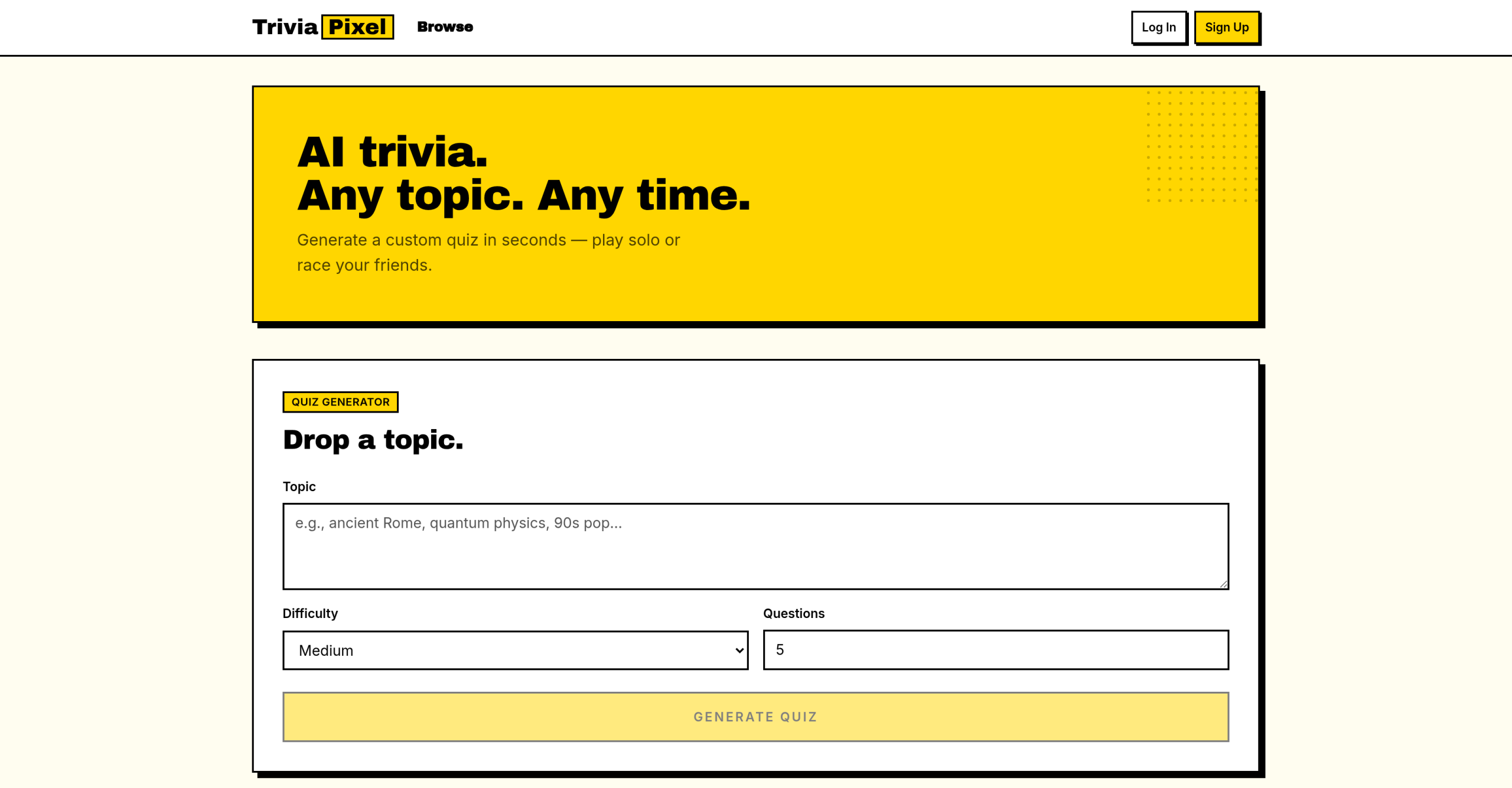
TriviaPixel is a free AI-powered trivia quiz generator that creates custom multiple-choice quizzes from any topic or uploaded document — no account required. You type a subject, pick a difficulty, and get a playable quiz in seconds.
Creating Your First TriviaPixel Quiz
The quiz generation interface loads immediately with no signup walls. You input a topic, choose a difficulty level, and specify the number of questions (anywhere from 3 to 20). For instance, you might type "Ancient Roman History," select "Medium," and ask for 10 questions. The tool processes this input and presents a multiple-choice quiz.
You can also upload a document — PDF, Word, PowerPoint, or plain text up to 20 MB — and TriviaPixel extracts the content to build a quiz from your own material. This works well for turning study notes, training handouts, or reference documents into an interactive quiz.
Editing and Saving Your Creation
After generation, you’re not stuck with the initial output. You can edit the quiz, adjusting questions or answers as needed. This flexibility matters — no AI-generated content will be perfect on the first try. Once satisfied, you can save the quiz for later replay. Saving doesn’t require an account; it’s managed locally or through sharing options.
Sharing and Multiplayer Options
TriviaPixel isn’t only about let you play solo. You can share quizzes via individual links or host live multiplayer competitions:
- Join codes — Invite others to compete in real time
- Custom time limits — Set per-question countdowns for added pressure
- Live score tracking — Watch the leaderboard update as players answer
- Late joins — Participants can jump in even after a round has started
These features make TriviaPixel suitable for classrooms, team-building, and pub-style trivia nights.
Offline Limitation
The main trade-off for TriviaPixel’s free, account-free design is its reliance on an internet connection. If your Wi-Fi drops or you’re somewhere without service, you won’t be able to create or play quizzes. It’s a practical drawback for users who want to prepare quizzes on the go or in areas with unreliable connectivity.