

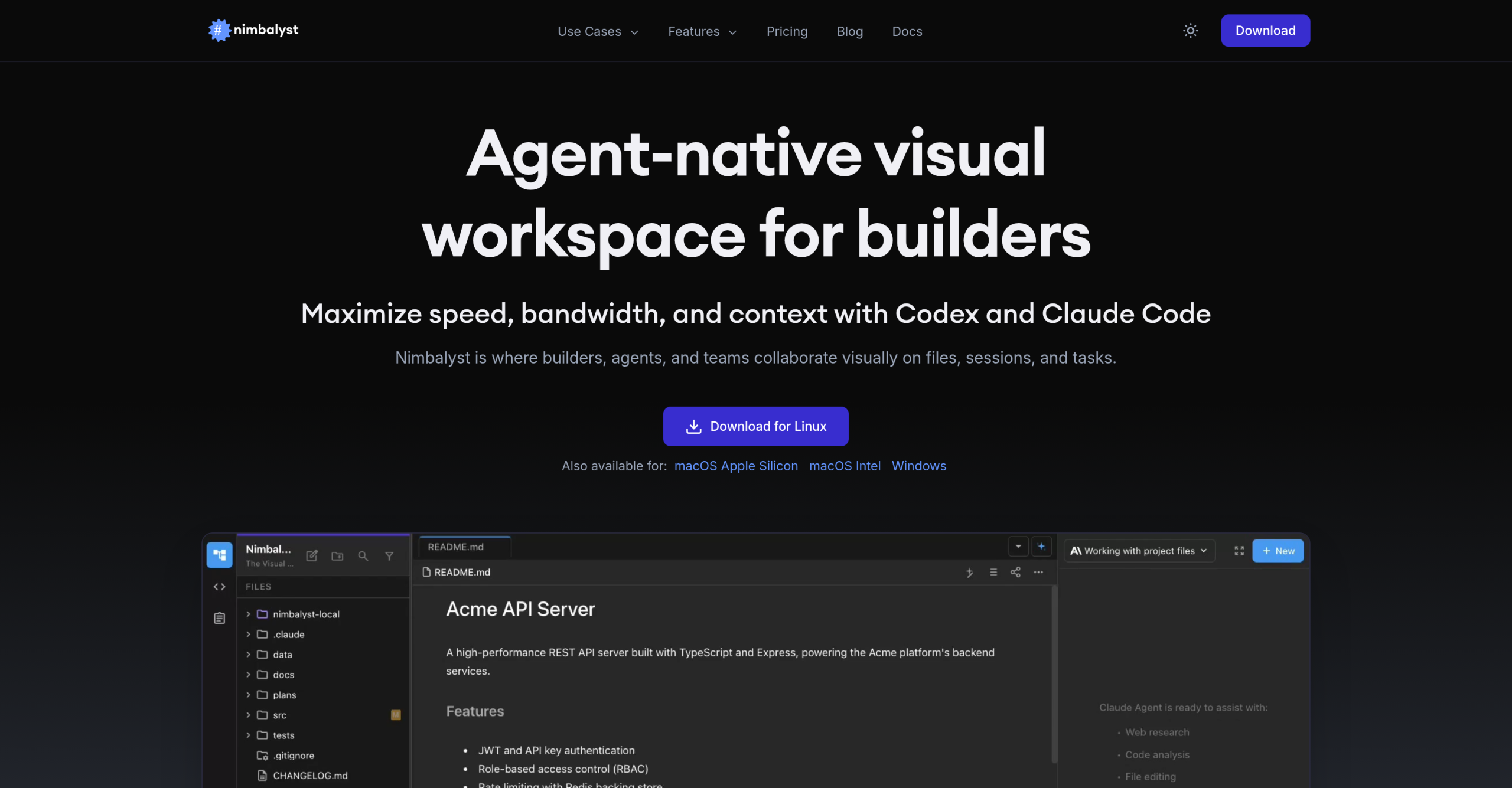
Nimbalyst lets users accomplish the task. It gives developers, product managers, and designers a unified environment for managing AI agent sessions, visually editing diverse file types, and simplifying development workflows.
The Value Proposition: Free for Individuals, Team Features Pending
Nimbalyst’s most compelling aspect for many users is its cost structure. The individual experience is completely free. There are no hidden costs, watermarks, or export fees. You can download the desktop application for macOS, Windows, or Linux, or the iOS app, and begin using it without a subscription. It’s a MIT-licensed open-source project, which speaks to its transparency and community-driven potential.
What the no-cost plan Includes
For individual users, the free version of Nimbalyst provides a full suite of features. It’s not a stripped-down trial; it’s the complete application. You’ll get:
- Parallel AI Sessions: Run multiple AI agent interactions simultaneously, keeping different tasks organized.
- Visual Editing: Edit many files, including Markdown, mockups, diagrams (using Excalidraw and Mermaid), code (via the Monaco editor), data models, and CSVs. This visual approach helps in understanding AI-generated changes quickly.
- Inline Diffs: Review AI-generated changes with visual inline diffs, making it easier to accept or modify suggestions.
- Local-First Storage: All your files are stored locally on your filesystem in open formats like Markdown and HTML, giving you complete control over your data.
- Integrated Tools: Access Git management, AI commits, worktrees, and an integrated terminal directly within the workspace.
Note that while Nimbalyst itself is free, you’ll need to provide your own API keys for AI features from providers like Claude Code or OpenAI Codex. You’ll need existing subscriptions or usage credits with those services — not a hidden cost from Nimbalyst, but an external dependency.
Releasing Team Collaboration: The Future Paid Tier
While individual use is free, Nimbalyst has plans for a paid "Team plan" focused on collaboration. This isn’t available yet, but it’s built for small teams of 3-7 people working with AI agents. The collaboration server component is AGPL licensed. This upcoming tier aims to introduce:
- Real-time Collaboration: Work on files together with teammates.
- Shared AI Sessions: Hand off AI sessions and review each other’s agent interactions.
- Task Management: Collaborate on tasks and track progress within shared workspaces.
- Access Control: Administrative tools for managing workspace access.
The pricing for this team plan is currently listed as "TBD / user / month," so we don’t have concrete figures yet. This future paid tier will address the "coordination cliff" that can arise when multiple developers use AI agents, making teammates’ work and AI outputs visible and manageable.
Nimbalyst’s Impact on AI-Assisted Development
Users frequently praise Nimbalyst for the way it can keep everything organized in one place for coding and planning. It’s often cited as the "best way to work with Claude Code," offering a user experience "vastly superior" to terminal-based interactions. The visual approach helps developers, product managers, and designers work faster by making better use of context and bandwidth.
Who Benefits Most?
- Developers: They’ll find it useful for debugging, planning features, implementing code, testing, and even managing Git. It supports many languages in its Monaco-based editor, including JavaScript, Python, Go, Rust, and C++.
- Product Managers: They can use it for market research, creating feature plans and Product Requirement Documents (PRDs), building mockups, and tracking engineering progress.
- Designers: It’s a solid choice for visual feature planning, creating mockups and prototypes, diagramming user flows with tools like Excalidraw, and iterating on user interfaces.
This broad appeal stems from its visual nature and the way it can handle diverse file types, all within a single, coherent environment. Beyond managing code, Nimbalyst supports the entire workflow of building with AI — from planning to review.
Market Context and Alternatives
In the burgeoning field of AI-assisted development, Nimbalyst isn’t alone. Tools like Antigravity and Cursor also aim to enhance AI coding workflows. Though, Nimbalyst differentiates itself with its strong emphasis on visual editing and its open-source, local-first approach. While some competitors might have specific caps on parallel agents (e.g., Antigravity at five, Cursor at eight), Nimbalyst states it supports "more than six with no hard cap," offering greater flexibility for power users. Its thorough visual editors for diagrams and mockups also give it an edge for roles beyond pure coding.
Technical Underpinnings and Known Constraints
Nimbalyst is built as a TypeScript/Electron monorepo, using technologies like SwiftUI for iOS, React, and PGLite (Postgres in WASM). This reliable architecture supports its cross-platform availability on macOS (Apple Silicon and Intel, version 10.15+), Windows (version 10+), and Linux. An iOS app is available, and an Android app is currently in development, expanding its reach.
Specific Limitations to Consider
While Nimbalyst offers significant advantages, it’s not without its limitations. The most notable is the current absence of fully released and priced team collaboration features. While planned, teams looking for immediate advanced collaboration capabilities might find this a drawback. Additionally, while it supports many file types, user requests for specific integrations like Jupyter Notebook support are still on the wish list for custom extensions. Nimbalyst collects anonymous usage analytics by default, though users can opt out in the settings. This isn’t a functional limitation, but it’s a data privacy consideration for some.
For power users and developers, the hardest technical limitation you’ll eventually hit isn’t within Nimbalyst itself, but rather the rate limits imposed by the external AI providers you integrate. Nimbalyst doesn’t impose its own rate limits, but your usage will be governed by the API quotas of services like Claude Code or OpenAI Codex, which can vary based on your subscription tier and usage patterns. You’ll need to manage those external API costs and limits independently.