
Manually converting visual images into text-based art can be an incredibly time-consuming and detailed process, often requiring meticulous character placement and gradient simulation. The ASCII Art Converter addresses this by automating the transformation of images into ASCII art instantly, making it accessible for various applications where only plain text is supported.
Retro Color Modes and MS-DOS Aesthetic
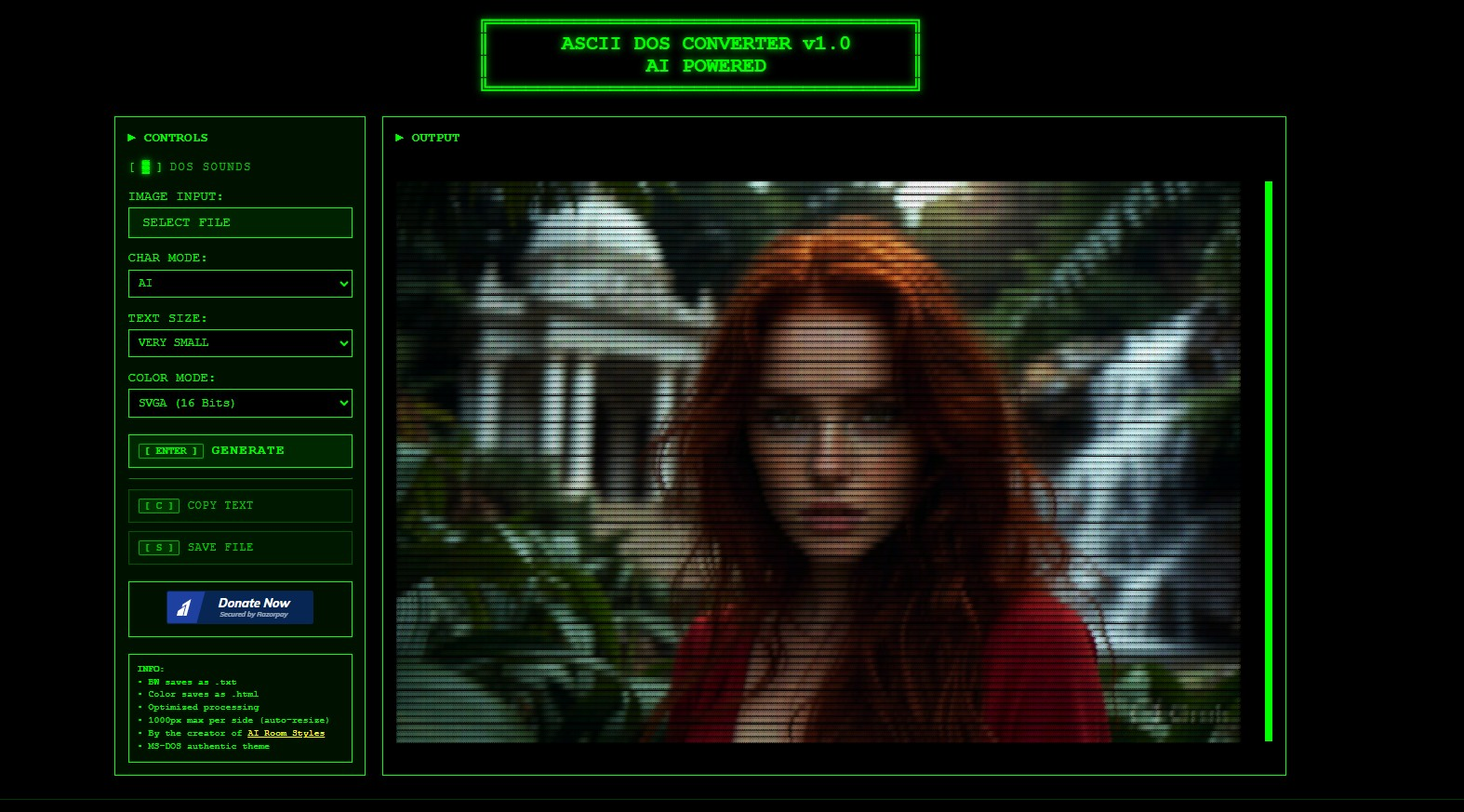
What sets this converter apart from generic ASCII art tools is its retro computing aesthetic. It offers distinct color modes inspired by classic display standards: Monochrome, CGA, EGA, VGA, and SVGA 16-bit. These modes reproduce the look of actual MS-DOS era displays, from the iconic green phosphor on black to the limited but charming CGA palette. The tool also includes optional DOS sound effects for an authentic nostalgic experience. This focus on retro authenticity makes it particularly appealing for creative projects, social media content, and anyone wanting to recreate the visual language of 80s and 90s computing.
Localized Image Processing for Enhanced Privacy
The ASCII Art Converter processes images locally within the user’s browser environment. Put simply, your images aren’t uploaded to a remote server; your data remains on your device throughout the conversion process. This client-side approach eliminates concerns about data transmission and third-party storage, offering a more secure experience — particularly important when working with personal or sensitive images.
Input Specifications and Output Flexibility
The converter supports common image formats: PNG, JPG, and GIF. PNG works best for logos or images requiring transparency, while JPG suits photographic content. For GIF files, only the first frame is processed. There’s a 10 MB maximum upload file size, though keeping images under 5 MB is recommended for optimal performance. Optimal image dimensions range between 800×800 and 2000×2000 pixels (minimum 400×400), with the aspect ratio preserved during conversion. Output options include copying the ASCII art directly to clipboard, saving as a PNG image file, or exporting as a plain text or HTML file.
Customization and Quality Control
The tool provides customization options for fine-tuning the output, including adjustable ASCII gradient and space density settings. These controls are essential for achieving the desired visual effect across images of varying complexity. Users can choose between Classic and AI-enhanced modes, with multiple text size options available. It’s these granular controls that raise the tool beyond a simple one-click converter.
Limitations
The ASCII Art Converter doesn’t offer an API for programmatic access, so it isn’t suitable for integration into automated workflows or backend systems requiring on-demand conversion. It also only processes the first frame of GIF files — animated GIF to multi-frame ASCII animation isn’t supported. The maximum output resolution is 1000px, with auto-resizing for larger images.