

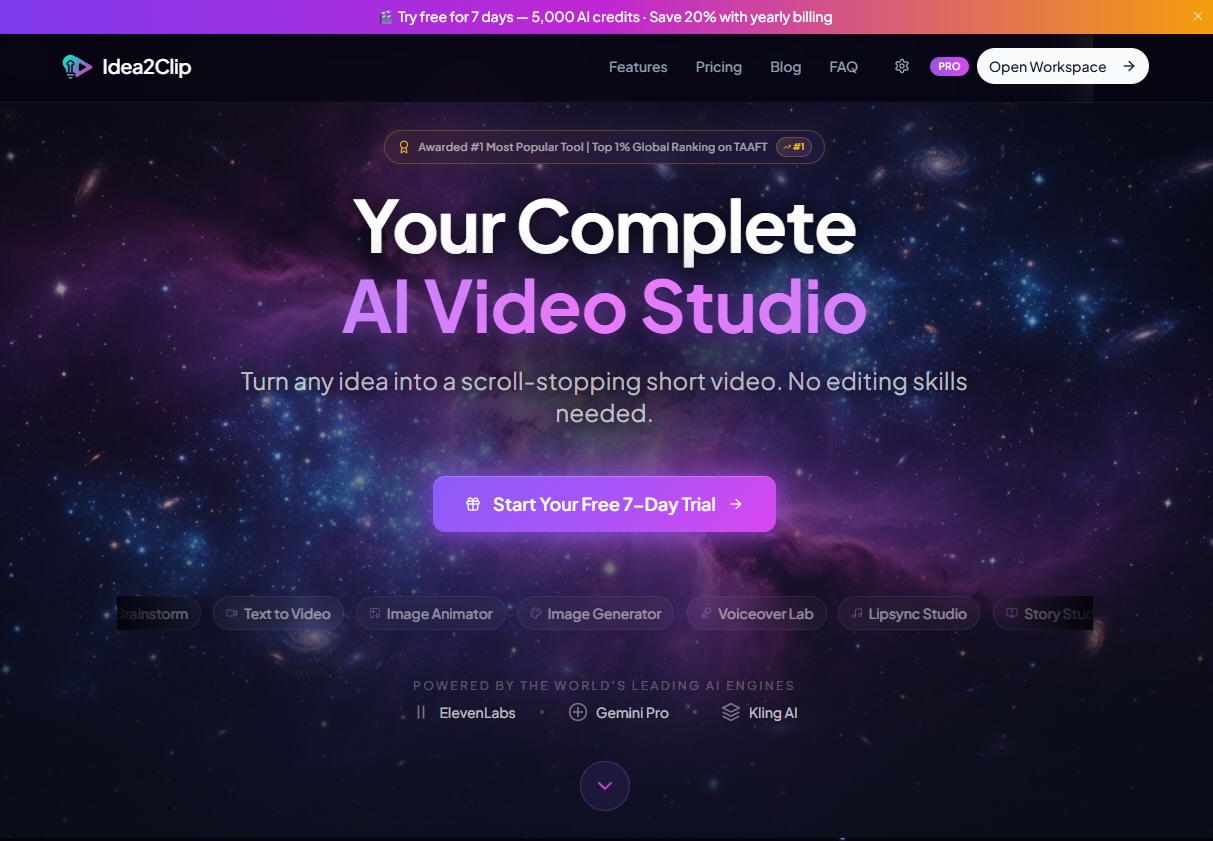
Idea2Clip offers a freemium model for creating short-form video content, making it accessible for anyone looking to produce social media-ready clips without advanced editing skills.There is a free plan available for basic video creation, which is a great way to explore its capabilities. If you’re ready for more advanced features and higher output limits, paid options start at $19 per month, giving you a clear path to scale your video production. It’s a tool designed to transform simple ideas into fully structured video scripts, voiceovers, and professional-grade social content, particularly for platforms like TikTok, Instagram Reels, and YouTube Shorts.
Understanding the Credit System and Paid Tiers
When you consider Idea2Clip, you’ll quickly realize its pricing revolves around a credit system. This isn’t unusual for AI-powered tools; it’s how they manage resource consumption. The free plan lets you get started, but for serious content creation, you’ll want to look at the paid options. These plans aren’t just about more credits; they also grant access to advanced AI models, higher output limits, and crucial commercial usage rights for your creations. That’s a big deal if you’re using it for business.
Here’s a breakdown of the monthly subscription plans, which all include a 7-day free trial:
| Plan | Monthly Cost | Credits Included |
|---|---|---|
| Starter | $19 | 25,000 |
| Creator | $39 | 60,000 |
| Pro | $89 | 150,000 |
If you don’t want a recurring subscription, or if you need to top up your credits occasionally, Idea2Clip also offers one-time credit packs. These packs never expire, which is a nice touch if your usage fluctuates. You won’t lose unused credits, which isn’t always the case with other services.
| Pack | Price | Credits |
|---|---|---|
| Starter Pack | $4.99 | 5,000 |
| Standard Pack | $14.99 | 15,000 |
| Power Pack | $44.99 | 50,000 |
| Studio Pack | $119.99 | 150,000 |
This credit-based approach means you’re paying for what you use, which can be cost-effective for some. On the flip side, it also means you’ll need to monitor your credit consumption, especially when experimenting with features like Text-to-Video, Image Animator, or Lipsync Studio. Each action consumes credits, so it’s wise to plan your projects.
What Your Investment Gets You: Features and Value
Your credits in Idea2Clip translate directly into production capabilities. The tool’s core value lies in what makes it capable is simplify the creation of engaging short-form video content. It generates videos quickly and efficiently, without requiring advanced editing skills. Users on various platforms praise it for speeding up short-form video production and its unified workflow, which reduces the need to switch between multiple tools. It’s ideal for rapid content creation, helping you scale your output.
Key features you’ll be using your credits for include:
- Script Architect: This helps generate video scripts with optimized hooks and voiceovers. It’s a significant time-saver, especially Anyone who aren’t natural scriptwriters.
- Pro Model 2.6 Integration: This ensures high-fidelity audio for your voiceovers, making your videos sound professional.
- Advanced Character Consistency (Styleframe engine): This feature lets you maintain character identity across different scenes and videos. You can even upload your own characters to a reference image library for brand consistency, which is invaluable for creators building a recognizable brand.
- One-click workflow: This simplifies the process of generating scene images and full video previews.
- Text-to-Video and Image Animator: These allow you to bring static content to life.
- Motion Transfer and Lipsync Studio: These add dynamic elements and realistic talking avatars.
- Brainstorming: It provides tools for generating viral video ideas, helping you stay ahead in the fast-paced world of social media.
- Avatar Pro: Create lip-synced talking avatars from a single image, adding a personal touch to your content.
These features collectively solve the problem of time-consuming and skill-intensive video creation. For content creators, influencers, social media marketers, and brands, In effect, you can produce more content faster, without hiring a full video production team. Users describe it as an "amazing AIGC tool" with "incredible" effects that can "perfectly restore what I want," calling it a "killer one!!!!" That’s high praise.
Limitations and the Hidden Cost of Creative Control
While Idea2Clip offers significant advantages, Note that understand its limitations before you commit. Users report that videos generated are typically limited to 15 seconds, and the generation process can take 6-8 minutes per video. This isn’t a tool for long-form documentaries; it’s strictly for short, punchy social media content. If you’re aiming for longer videos, its capabilities are constrained.
Another point to consider is creative control. While the AI simplifies much of the process, users note that creative control may be constrained by AI workflows. In effect, you might not have the granular level of artistic direction you’d get with traditional video editing software. The output quality also depends heavily on the clarity of your input. If your prompts are vague, the results might not be what you envisioned. Advanced features, naturally, require paid plans, so you can’t expect the full suite of capabilities on the no-cost plan.
The most important hidden cost, or rather, a significant caveat, is the potential for limited flexibility when your vision deviates from the AI’s standard outputs. While it’s excellent for rapid, templated content, if you need highly customized, unique visual storytelling that requires precise artistic direction, you might find yourself battling the AI’s inherent structure. It’s a trade-off: speed and ease of use versus absolute creative freedom. You’ll get polished, social-media-ready videos quickly, but they’ll be within the parameters the AI models are designed for, which isn’t always what you’d get from a human editor.