
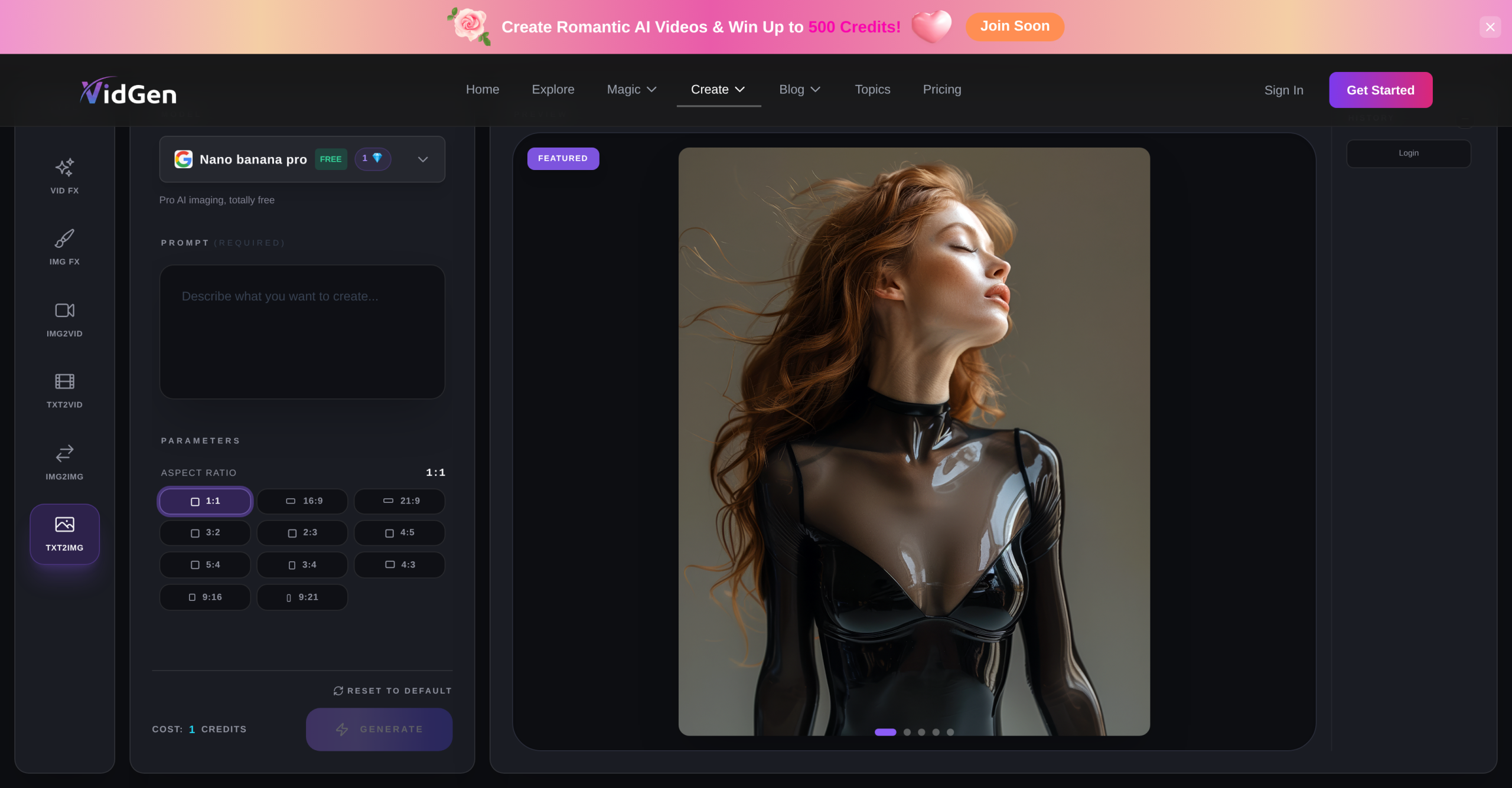
VidGen AI Image Generator sets itself apart with a complete suite of content creation tools, including text-to-image (txt2img), image-to-image (img2img), text-to-video (txt2vid), and image-to-video (img2vid) functionalities. the tool exists to simplify and accelerate visual content production for many users, from individual creators to marketing teams. This platform offers more than generate; it also provides image and video effects (Img FX, Vid FX) and allows users to select from various AI models, tailoring the output to specific creative needs.
Getting Started with VidGen: Your First AI Creation
Once you’ve signed up for VidGen AI Image Generator, either through email or Google OAuth, you’re ready to dive into content creation. It’s a straightforward process. You’re guided to the "Create Art" page, which is your central hub. From there, you’ll choose your desired generation type. Let’s say you’re aiming for a new image; you’d select "Text to Image." The next step involves picking an AI model from the available options—you’ve got choices like FLUX or Ideogram, each with its own stylistic leanings. Then, you’ll enter a text prompt describing what you want to see. It’s crucial to be specific here; the AI interprets your words literally. After ensuring you’ve got enough credits, you’ll click "Generate." Image generation typically takes between 10-30 seconds, while video generation can extend from 1-5 minutes, depending on the model and desired duration. All your generated content automatically saves to your profile, making it easy to review and share. It’s quite intuitive.
Crafting Visuals: Image and Video Generation Workflows
VidGen AI Image Generator isn’t merely about simple text prompts; it’s a versatile tool for various visual content needs. For creators, designers, and marketers, it’s a real asset. You can generate high-quality AI photos, from realistic portraits to abstract art, or create engaging AI videos by animating static images. Imagine transforming a concept into a professional video for a social media campaign or a short animation for YouTube Shorts or TikTok. That’s what it’s built for. The tool additionally lets you edit, enhance, and animate existing photos using its AI-powered features. It’s a complete ecosystem for visual storytelling, enabling the production of generative image videos for concept art and imaginative content. You’re not just making pictures; you’re building narratives.
Understanding the Credit System and Ownership
VidGen AI Image Generator uses a credit system, which is the currency for content generation. It’s worth understanding how this works. The cost in credits varies significantly based on the AI model you choose; image generation might cost anywhere from 3 to 40 credits per image, while a short video (around 5 seconds) could cost 50 to 80 credits. Credits purchased don’t expire, which is a nice touch, and if a generation fails due to a technical error, the used credits are automatically refunded. This credit-based approach means you’ll need to manage your usage, especially if you’re on a free trial or a lower-tier plan. Some paid plans explicitly state "No watermark," implying that free or basic plans might include them. Users retain ownership rights to their generated content, allowing for both personal and commercial use, though it’s always wise to check specific model terms for any restrictions. It’s your content, after all.
Platform Accessibility and Model Integration
Accessibility is a key aspect of VidGen AI Image Generator. As a cloud-based platform, it’s available through any standard web browser, regardless of your operating system. What’s more, it offers dedicated mobile applications for both iOS and Android devices, ensuring you can create on the go. Your user account and credits synchronize across all these platforms, so you won’t lose track of your work. The intensive computational tasks are handled by VidGen’s servers, meaning you don’t need a high-end local machine; an active internet connection is the only real requirement. The tool integrates a diverse range of AI models, including FLUX, Ideogram, Kling, Veo, SeeDance, and WAN, providing flexibility for different creative outputs. For video, it even boasts exclusive access to the "VidGen Pro model" and integrates with advanced video engines like Kling AI, Luma AI, and Pika AI. Some paid plans also offer API access, which is great for those looking to integrate VidGen into custom workflows or other applications, similar to how Midjourney offers more advanced control through Discord bots. This level of integration makes it a powerful tool for agencies or businesses seeking white-label solutions.
Pricing Tiers for VidGen AI Image Generator
VidGen AI Image Generator offers several paid options, starting from $9.99 per month. There’s a free trial available, which some sources indicate provides up to 200 credits in specific geographical regions, and these credits don’t expire. For more consistent use, you’ll want to consider a paid plan. These plans typically include a set allocation of credits monthly, and annual plans provide 12 times the monthly credit allocation upfront, which can be a cost-effective choice for heavy users. It’s a pretty standard model for AI services.
| Plan | Monthly Credits | Key Details |
|---|---|---|
| Starter | 2,000 | Good for occasional use, likely includes basic features. |
| Creator | 5,000 | Suitable for regular content production, offers more flexibility. |
| Pro | 10,000 | Designed for high-volume creators or small teams, often includes "No watermark" and potentially API access. |