

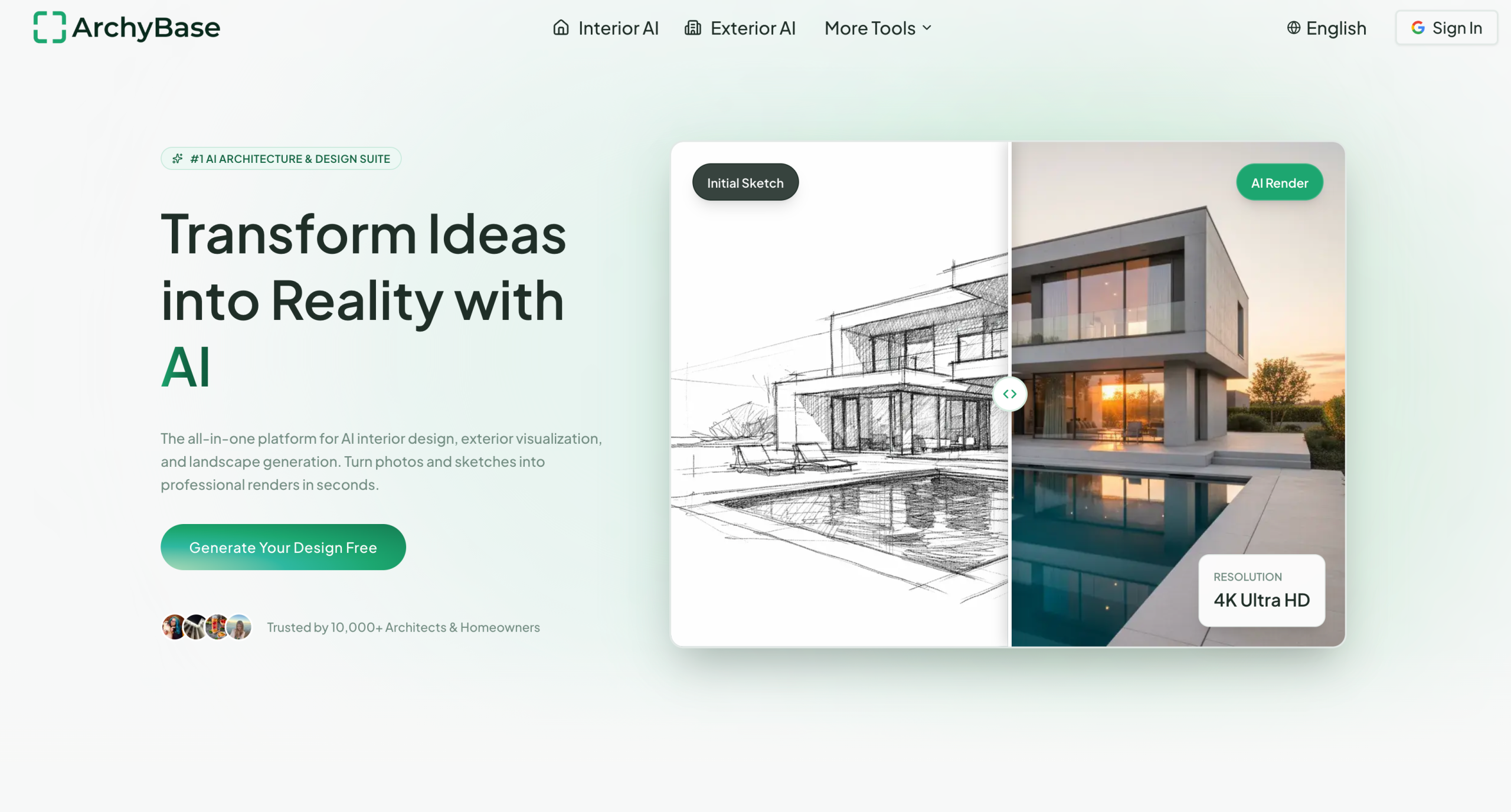
Architectural visualization traditionally requires 3D modeling expertise and hours of rendering time. ArchyBase converts photos, sketches, and CAD drawings into photorealistic 4K renders in under 10 seconds, with over 35 architectural styles — targeting architects and homeowners who need rapid ideation and client presentations rather than construction-ready blueprints.
Try ArchyBase at archybase.com — free tier includes 4 design generations, try without payment.
Quick Reference: What ArchyBase Produces
| Input | Output | Use Case |
|---|---|---|
| Room photo | Restyled interior with new furniture and finishes | Interior designers showing clients options |
| Hand-drawn sketch | Photorealistic render preserving the layout | Architects visualizing early concepts |
| CAD drawing | Rendered visualization with lighting and materials | Design development presentations |
| Exterior photo | Facade redesign with new materials, colors, roofing | Home renovation planning |
| Backyard photo | Field design with gardens, pools, patios | Outdoor space and contractors |
| Empty room photo | Virtually staged room with furniture | Real estate agents selling vacant properties |
The AI engine claims to understand lighting, textures, and spatial depth, producing results that resemble real photography. Each generation takes under 10 seconds on the platform’s GPU infrastructure — roughly 100x faster than traditional 3D rendering, according to ArchyBase.
The platform claims to serve over 10,000 architects and homeowners. It supports 12+ languages including English, Spanish, French, German, Japanese, Korean, and Chinese, making it accessible for international architecture firms.
Workflow: From Sketch to Client Presentation
A typical architect workflow with ArchyBase follows these steps:
- Upload a rough sketch or CAD drawing of the proposed design
- Select an architectural style that matches the client brief (e.g., Modern for urban residential)
- Generate the initial 4K render in under 10 seconds
- Review the output for accuracy — check that proportions, materials, and lighting match the design intent
- Adjust the style, season, or lighting and regenerate if needed (each regeneration costs one generation credit)
- Download the final render for inclusion in client presentations or marketing materials
For interior projects, the same process works with room photos. The AI preserves the room geometry while restyling surfaces, adding furniture, and adjusting lighting. Multiple iterations are common — architects report generating 5-10 variations before selecting the best one for presentations.
35+ Architectural Styles
The platform offers over 35 style presets including Scandinavian Minimalist, Industrial Chic, Modern, Mid-Century, Japanese Zen, Mediterranean, and others. Users can also adjust season, weather, and lighting conditions — generating the same space in summer sunlight or winter dusk with a single click. This variation helps architects show clients how a design performs across conditions.
For interior design specifically, the AI restyles spaces and furnishes empty rooms. The generated furnishings can sometimes appear artificial or out of proportion for complex layouts, requiring multiple generations to achieve satisfactory results.
What It Costs
| Plan | Monthly Price | Annual Price | Generations/Month | Pro Generations |
|---|---|---|---|---|
| Free | $0 | $0 | 4 total | 0 |
| Starter | $19.99/month | $15.92/month ($191.04/year) | 100 | 25 |
| Plus | $39.99/month | $31.92/month ($383.04/year) | 240 | 60 |
| Professional | $89.99/month | $71.99/month ($863.90/year) | 600 | 150 |
All plans include exterior and facade transformations, sketch-to-render conversion, outdoor space design, virtual staging, and multi-angle camera adjustments. Annual billing saves approximately 20%. A 3-day money-back guarantee applies to paid plans.
The Catch
- Not a CAD replacement — ArchyBase produces visualization renders, not construction documents, engineering plans, or BIM models; architects still need traditional software for technical documentation
- AI-generated furnishings can look artificial — interior design renders sometimes produce furniture that’s out of proportion or lacks realistic detail, particularly in complex rooms
- No floor plan tool yet — the platform lists floor plan generation as "coming soon," so current workflows require external floor plan tools
- Quality depends on input — rough sketches produce less accurate results than clean CAD drawings or high-resolution photos
- Consumption-based limits — each generation counts against the monthly quota regardless of whether the output is satisfactory; users may burn through credits on complex projects requiring multiple iterations
Visit ArchyBase — https://www.archybase.com/