

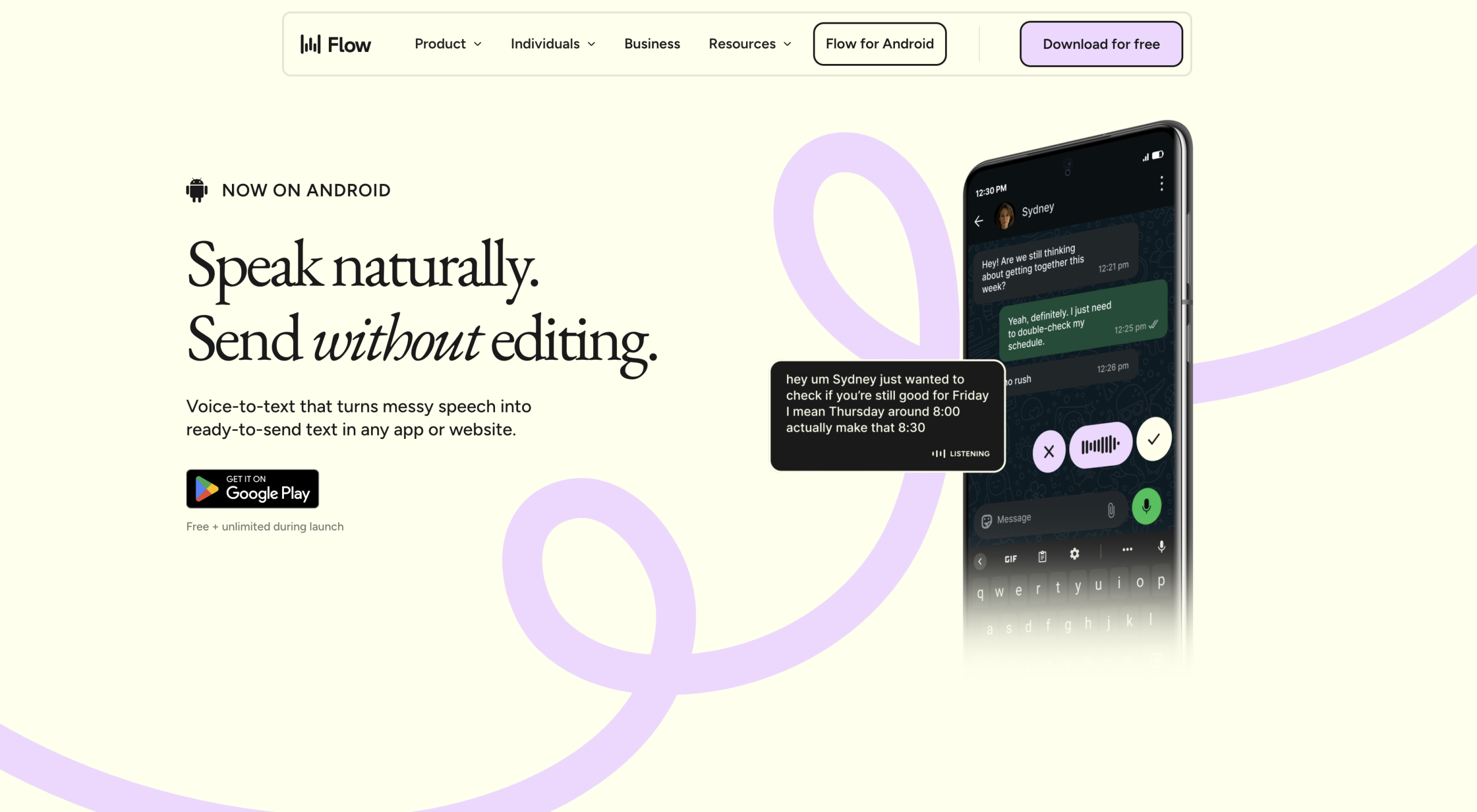
Most voice-to-text tools stop at transcription — they convert your words to text and leave the cleanup to you. Wispr Flow handles the entire pipeline: it transcribes, removes filler words, reformats on the fly, and includes a Command Mode for editing highlighted text by voice. The company claims 4x faster than typing, translating to roughly 220 words per minute compared to the average typing speed of 45 wpm.
Try Wispr Flow at wisprflow.ai — Pro features are free for 14 days with start for free.
How Wispr Flow Compares to Built-in Dictation
| Capability | macOS/Windows Dictation | Wispr Flow |
|---|---|---|
| Basic transcription | Yes | Yes |
| Filler word removal | No | Automatic ("um," "uh," false starts) |
| Auto-formatting | Minimal | Rewrites rambling speech into clean prose |
| Command Mode | No | Edit highlighted text by voice ("make this shorter," "convert to bullets") |
| Personal dictionary | Limited | Learns names, jargon, and acronyms automatically |
| Snippet library | No | Voice shortcuts for repeated text blocks |
| Language support | Varies by OS | 100+ languages with auto-detection |
| Cross-platform sync | Per-device only | Settings sync across Mac, Windows, iOS, Android |
The core difference is that built-in dictation produces a raw transcript, while Wispr Flow applies AI editing to produce polished text. Whether that editing is helpful or overbearing depends on your use case — legal proceedings requiring verbatim transcripts will find the auto-editing problematic.
Command Mode: Voice-Driven Editing
Command Mode is the feature most users cite as the reason to switch from free alternatives. Select any text in any application, activate Command Mode, and speak your edit:
- "Make this paragraph more concise" — the AI shortens the selected text while preserving meaning
- "Convert this to bullet points" — reformats a paragraph into a list
- "Make this sound more professional" — adjusts tone without changing the substance
This works system-wide, not just in specific apps. The tool runs as an overlay on Mac and Windows, intercepting text in email clients, code editors, Slack, Notion, and browser-based tools. Wispr raised $81 million in funding to build what it calls a "Voice OS" — Command Mode is the clearest expression of that vision.
Privacy Considerations
All audio processing happens in the cloud, which means an internet connection is required at all times. Wispr Flow also captures screenshots of your active window for "context awareness" — it uses the visual context to improve transcription accuracy (for example, recognizing that you’re in a Slack thread and formatting accordingly). Privacy Mode is available but off by default, which is relevant for anyone handling confidential information or working in regulated industries.
Wispr states SOC 2 Type II compliance on Enterprise plans and HIPAA eligibility on all plans. For individual users, the practical concern is that audio data leaves your machine — something to consider before dictating sensitive content.
What It Costs
| Plan | Price | Included |
|---|---|---|
| Free Trial | $0 | 14-day Pro trial, start for free |
| Flow Basic | Free | 2,000 words/week on desktop, 1,000 on iOS |
| Pro | $12/month | Unlimited usage, all features, priority processing |
| Enterprise | Custom | SOC 2 Type II, HIPAA, admin controls, team pricing |
The free tier is limited enough that regular users will need a paid plan. No refunds are offered once subscribed.
Reality Check
- Cloud-only processing — no offline mode; audio leaves your device for transcription
- Screenshot capture — context awareness uses active window screenshots, which may capture sensitive content; Privacy Mode is off by default
- AI over-editing — the auto-editing can alter original meaning, making it unsuitable for verbatim transcription needs (legal, academic)
- Accuracy with accents — strong accents and noisy environments degrade transcription quality
- No refund policy — once you pay, there’s no money-back option
- Free tier is minimal — 2,000 words per week on desktop covers roughly 10 minutes of dictation
Visit Wispr Flowv2 — https://wisprflow.ai/