

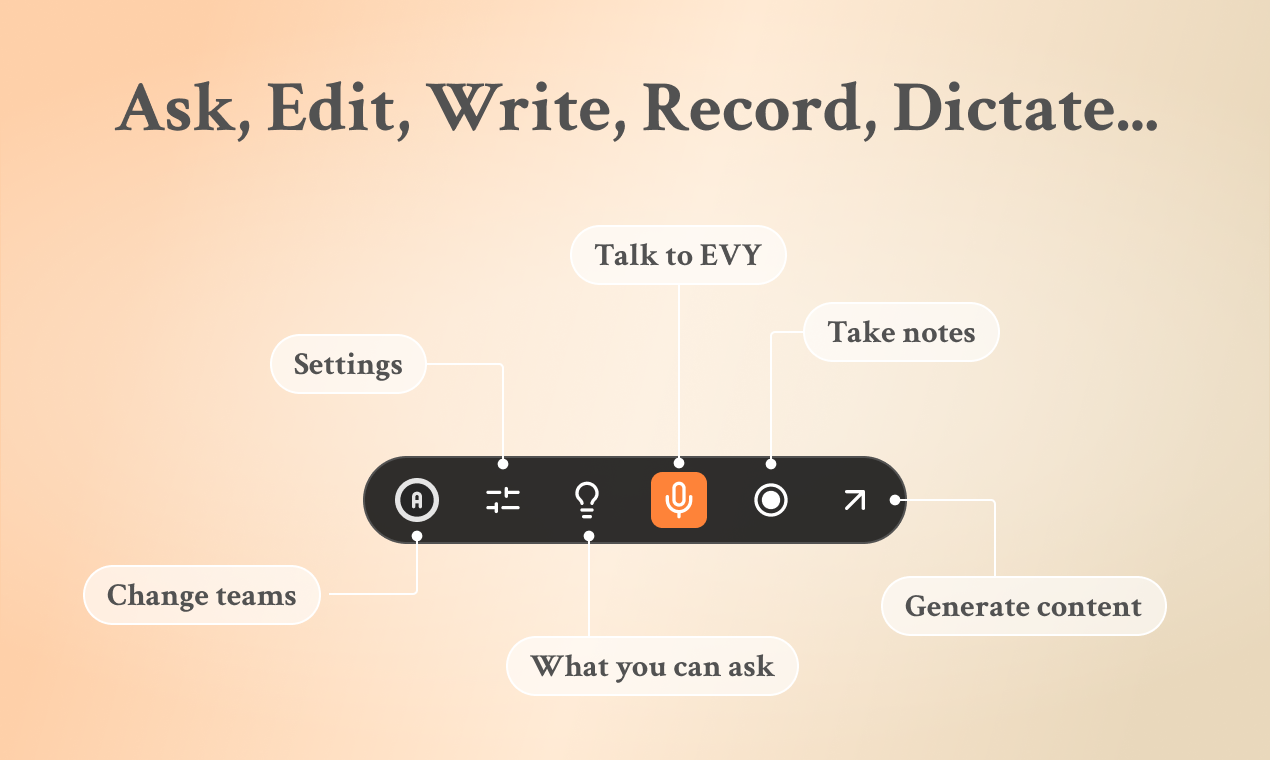
EVY is a Mac-native AI assistant that operates inside any application via a push-to-talk voice interface. It turns spoken input into written content — blog posts, emails, social media updates, and meeting notes — without requiring users to switch windows or open a separate editor.
The Core Problem EVY Solves
Most AI writing tools require copying text between apps: generate in ChatGPT, paste into your email client, reformat for LinkedIn, tweak in your document editor. EVY eliminates that loop by running as an overlay on macOS. Press a hotkey, speak, and the AI writes or edits directly in whichever app is active. The workflow stays inside one context from start to finish.
Voice-Driven Writing and Editing
EVY listens to spoken input and converts it into structured output. A user can dictate a rough idea for a blog post, and the tool produces a polished draft. Existing text can be highlighted and refined via voice commands — ask EVY to shorten, rephrase, or change the tone without touching the keyboard.
The tool also records meetings (online and offline) and lets users query those recordings conversationally afterward. Instead of scrubbing through a transcript, a user asks "what did we decide about the launch date?" and EVY pulls the relevant section.
Brand Voice and Content Multiplication
EVY trains on a user’s past posts and voice captures to learn their specific phrasing and tone. This "brand voice" feature applies across team members — multiple people can generate content that reads consistently.
Once a piece of content exists, EVY can transform it for different platforms: a single idea becomes a LinkedIn post, an Instagram caption, a newsletter blurb, and a tweet, each tuned for the platform. Users can post and schedule directly to LinkedIn, X, and Instagram from within the tool.
Additional Capabilities
- Memory: EVY retains context from past conversations and recordings, so users can reference earlier discussions without re-explaining.
- Multi-LLM support: The platform runs on multiple top-tier language models and switches between them as models improve, rather than tying users to a single provider.
- Brainstorming mode: Push-to-talk brainstorming where EVY suggests ideas and iterates on them in real time.
Plan Details
| Tier | Cost | Access |
|---|---|---|
| Free | $0 | 1,000 credits, up to 1 year of use, all features available |
| Plus | $19/month | Extended usage with additional credits |
The free tier provides enough credits to test every feature. Once credits run out, the Plus plan at $19/month continues access. The homepage also references higher-tier plans around $49/month for teams or power users. All plans include the full feature set — voice input, meeting recording, brand voice training, and social posting.
Shortcomings
The voice-first design means users who prefer typing will find little value here. The Mac-only requirement excludes Windows and Linux users entirely. AI-generated drafts for technical or specialized topics often need manual editing — the tool works best for general business writing and social content. Users with privacy concerns about an AI tool that reads content across multiple applications should review EVY’s stated data policies before subscribing.
Visit EVY – your AI co-creator — https://evy.so/