

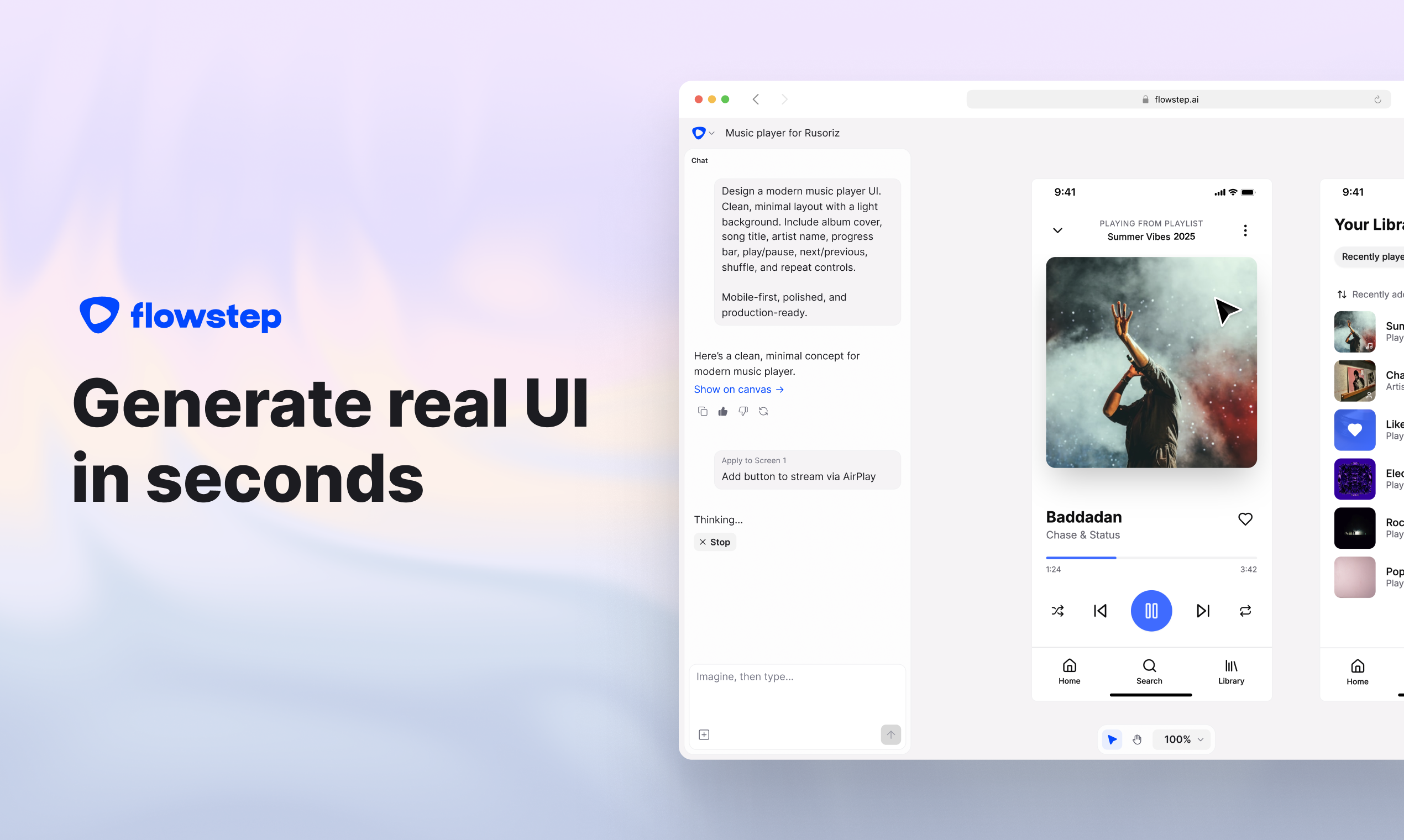
Starting a new design project often means staring at a blank screen, trying to translate a concept into a visual user interface. Flowstep aims to solve this by using artificial intelligence to turn natural language text descriptions into editable UI screens, wireframes, and full user flows. It’s designed to help you quickly move from an abstract idea to a concrete, visual design.
Your Ideas, On Screen: How Flowstep Works
Flowstep generates polished UI designs rapidly through what it calls its "Imagination Algorithm." You simply describe the interface you want, and the tool creates single or multiple screens based on your input. The platform supports refining your designs through chat-based prompts for iterative changes or direct manual editing of layouts, text, and styling. You can also define connections and flows between screens, helping visualize an entire user experience from start to finish.
Who Gets the Most Value from Flowstep?
This tool serves a broad group of professionals and individuals, including graphic designers, web developers, marketing specialists, product managers, and founders. It’s also helpful for those without extensive design experience who need to visualize ideas quickly.
Specific applications include:
- Rapid UI Ideation: Generate prototypes and design concepts in minutes.
- Visual Communication: Turn product ideas into clear visuals, reducing misunderstandings.
- Design Task Optimization: Automate repetitive elements for web layouts.
- Promotional Material Creation: Develop high-quality visuals for various organizations.
- Overcoming the "Blank Canvas" Problem: Provides a practical starting point for designers.
- Educational Tool: Can be used to teach fundamental design principles.
Beyond the Canvas: Connecting Flowstep to Your Tools
Flowstep provides solid technical features for integrating with your existing design and development workflows. You can export designs directly to Figma using a simple copy-paste function, which preserves auto layout and editable components without needing special plugins. For developers, it exports production-ready code in React, TypeScript, and Tailwind CSS. Image files are also available in PNG/JPG formats.
The tool connects with various external platforms, including Adobe Suite (Photoshop, Illustrator), cloud storage services like Dropbox and Google Drive, CMS platforms such as WordPress and Shopify, and popular social media sites. For advanced users, it supports an MCP server, allowing integration with IDEs like Cursor, Claude Code, Windsurf, or Claude Desktop.
Speeding Up Your Design Process
Flowstep significantly accelerates the initial stages of design, generating UI in seconds and automating tasks that would otherwise take hours. It effectively bridges the gap between a raw concept and a visual UI, helping users overcome the initial hurdle of a blank page by producing editable designs from simple text prompts. You can generate entire user experiences or multiple connected screens from a single prompt, allowing for quick exploration of different design directions.
Its unique copy-paste functionality into Figma stands out, as it maintains auto layout and editable components without requiring a plugin, saving designers significant time. The transition from design to development is also simplified by its ability to export clean, production-ready code. This means product managers, founders, and developers can quickly visualize product ideas without needing extensive design skills.
What Are Flowstep’s Current Limits?
While Flowstep offers many advantages, it does have specific constraints to consider. Mastering its advanced features might involve a learning curve, and getting the best results often depends on crafting precise AI prompts. Deep customization for complex brand guidelines can be limited, meaning fully production-ready designs may still require manual refinement. The tool currently doesn’t manage design systems.
A stable internet connection is essential for Flowstep to function properly. Also, message limits on paid plans, such as 80 messages per month on the Starter plan, might feel restrictive for users with high volume needs. The AI’s output, though efficient, relies heavily on the quality of your input and might lean towards familiar patterns if not given fresh references. It’s not built for advanced vector editing or complex prototyping features found in dedicated design software.
How Much Does Flowstep Cost?
Flowstep offers a freemium model, allowing you to try basic features and limited messages/projects without needing a credit card. If you require more features and higher usage, paid plans begin at $15 per month or $20 per month. Opting for annual billing can provide a discount of up to 20%. For example, the "Starter" paid plan includes a limit of 80 messages each month.
For the most current information and to explore the tool, visit the official website: flowstep.ai