

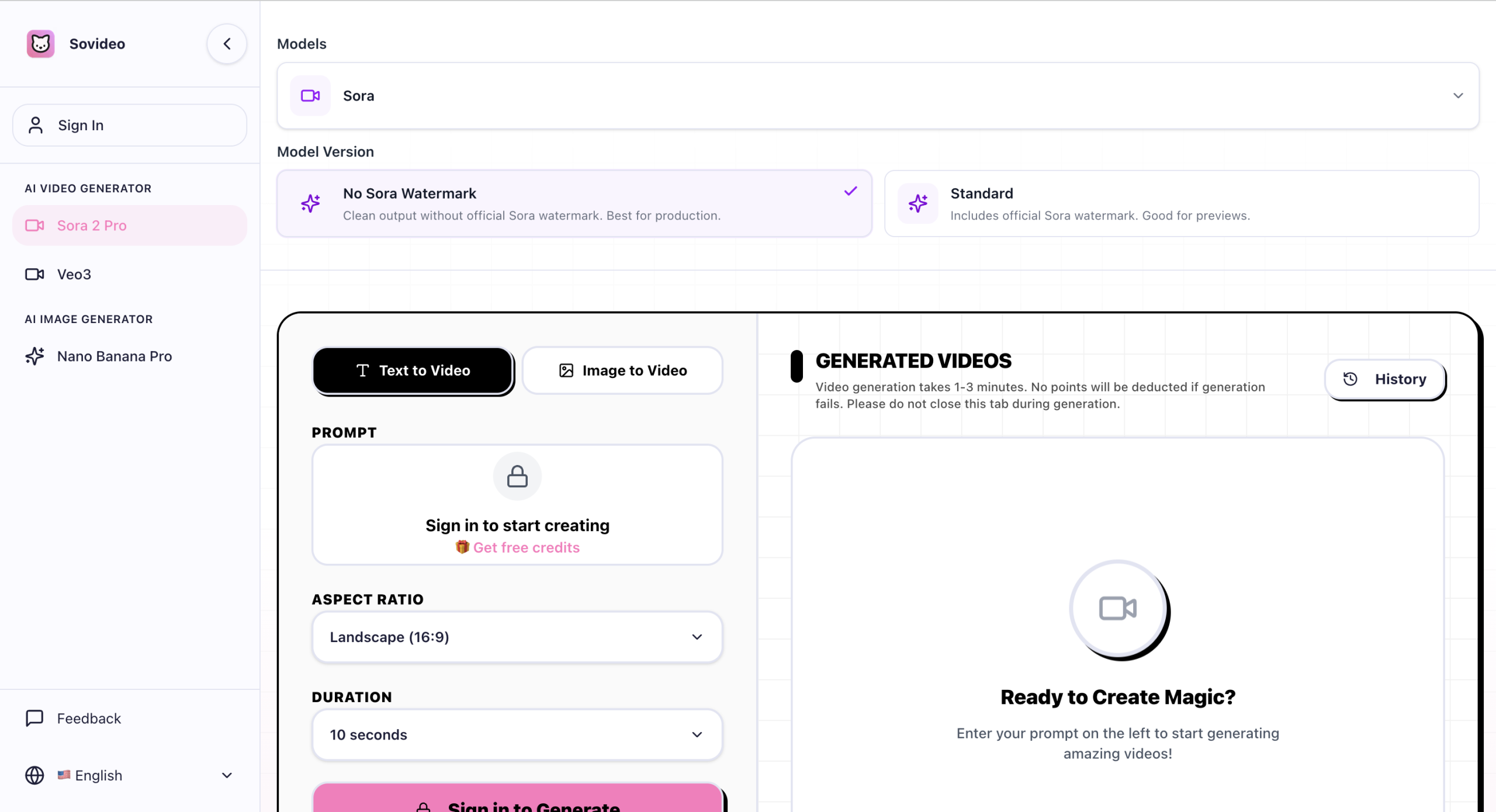
Producing eye-catching videos and images can be a time-consuming and skill-intensive process. SoVideo steps in as an AI-driven platform designed to streamline this, letting you transform text, still pictures, or existing video clips into dynamic visual stories.
Turning Your Concepts into Cinema
SoVideo provides a central place for creating visual content with artificial intelligence. It allows you to generate videos from text descriptions, bring static images to life, or even alter existing video clips. The platform also includes a variety of special effects, such as AI Inflate, AI Kiss, AI Squish, Earth Zoom, Fuzzy Dream, Ghibli Style, and Slow Motion. You can convert images into video, with the system automatically aligning audio, and ensure characters look consistent across different video generations.
Who Can Make the Most of SoVideo?
This tool is built for anyone who needs to produce compelling visuals quickly, including content creators, marketers, and filmmakers. Its features support a range of specific uses:
- Social Media: Quickly generate engaging posts for platforms like Instagram, TikTok, and YouTube.
- Filmmaking: Create B-roll footage, visual effects (VFX), and mood boards without extensive manual work.
- Marketing: Develop effective product advertisements for e-commerce sites and general business promotions.
SoVideo aims to make professional-quality cinematic video creation accessible, even if you don’t have a lot of editing experience.
Behind the Scenes: How SoVideo Builds Your Content
SoVideo uses several advanced AI models, including Sora 2, Veo 3.1, Wan 2.5, Aurora Engine, Nano Banana Pro, and Seedream, to power its generation capabilities. You can input text prompts, static images (JPG, PNG), or video clips. The platform produces videos ranging from 5 to 60 seconds, with Sora 2-generated content extendable up to 120 seconds. Output resolutions go up to 4K, with options for 720p and 1080p. Paid plans deliver videos without watermarks. Other features include precise camera control for smooth movements, 120 aesthetic parameters for fine-tuning your visuals, and support for multiple aspect ratios. The platform claims significantly faster processing, touting a 3x speed improvement.
How Much Does SoVideo Cost?
SoVideo offers a few pricing tiers, including a free option:
| Plan | Price | Key Details |
|---|---|---|
| Free | Free | 10 one-time credits, Text-to-Video (Fast Mode), Motion Control 720p, 720p output, watermarked videos. |
| Basic | $11.90/month (billed annually) | 800 credits/month, Text-to-Video, Image-to-Video, Video-to-Video, Video Extend (Fast Mode), Seedance 2.0 (720p, 8s, Audio), Motion Control 720p, 1080p output, downloads, no watermarks, standard queue, 48-hour email support. |
| Pro | $29.90/month (billed annually) | 2,000 credits/month, all Basic features, Seedance 2.0 (1080p, 12s), Quality Mode (Veo 3.1), 4K upgrade, Motion Control 1080p, Motion Control Video Source, Lip Sync AI 720p, private generation, priority queue, 24-hour priority support. |
| Business | $49.90/month (billed annually) | 3,500 credits/month, all Pro features, VIP highest priority queue, dedicated account manager, 12-hour response, custom requirements, Lip Sync AI 1080p, full commercial rights & copyright. |
All paid plans come with a 7-day money-back guarantee. You can find more details on their official website: sovideo.org.
A Few Things to Consider
Since SoVideo operates as a cloud-based service, you’ll need a stable internet connection to use it; there’s no offline mode. While it’s designed for ease of use, some of its more advanced features might take a little time to learn. Keeping your projects in the cloud also brings up potential data privacy questions. It’s worth noting that one review source, Scam Detector, gave sovideo.ai a low trust score (24.3/100), citing "high-risk activity related to phishing, spamming, and other factors" and advising caution. Another source, Gridinsoft, provided a trust score of 72/100, suggesting mostly positive signs but still recommending care due to its recent registration. It’s a good idea to check these aspects to make sure they fit with your security and privacy needs.