

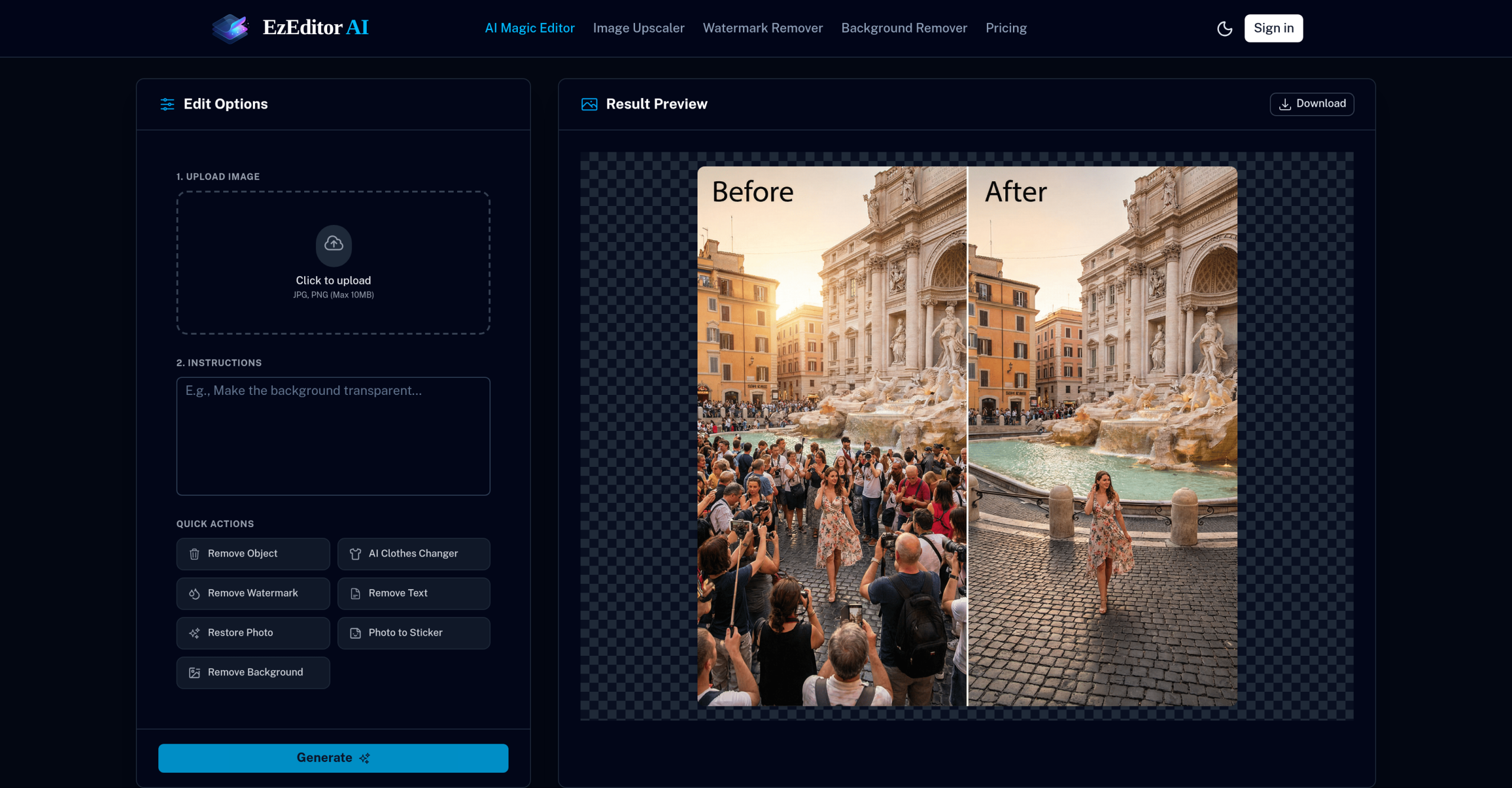
Tired of wrestling with complicated photo editing software just to make a few quick changes? EzEditor AI Magic Editor offers a straightforward solution, letting you modify images using everyday language commands directly in your web browser. There’s no need for advanced skills or software downloads; just type what you want, and the tool gets to work.
What Can You Create with Text Commands?
This online editor lets you instantly transform your pictures through simple text prompts. You can tell it to:
- Add objects: Integrate new elements into an image, like a cup of coffee on a table.
- Replace elements: Change specific features, whether it’s swapping out a shirt, altering the weather in a scene, or modifying other parts of your photo.
- Expand backgrounds: Need to fit an image into a different aspect ratio for social media? Its "outpainting" feature can extend your canvas.
- Remove unwanted items: Easily delete objects or watermarks that clutter your photos.
- Transform styles: Apply artistic filters, turning a regular picture into something like a "3D blind box" or a "clay style" artwork.
The underlying technology aims to understand your instructions in context, blending new elements by matching lighting, shadows, and perspective. It can also boost your image resolution up to 4K.
Who Finds This Tool Most Helpful?
Anyone who needs to edit photos quickly without a steep learning curve will likely appreciate this tool. It’s particularly useful for:
- Photographers and Digital Artists looking for fast edits or creative experiments.
- Content Creators, especially those who frequently produce visuals for social media platforms.
- E-commerce Sellers aiming to generate professional-looking product photos without a studio.
- Marketers crafting engaging visual campaigns.
- Everyday Users who want to enhance personal photos easily.
Specific applications include creating studio-quality headshots, removing photobombers from group pictures, or preparing eye-catching social media posts.
Getting Started: Technical Details and Supported AI Models
Since it’s a browser-based tool, you won’t need to install any software. EzEditor works with common image formats like JPEG, PNG, and WebP, though individual files can’t exceed 5MB. All the processing happens on cloud servers, meaning you’ll need an active internet connection. It uses a mix of different AI models for its various editing tasks, including GPT Image 2, Google Nano Banana, Google Nano Banana Pro, and ByteDance Seedream 4.0. The platform doesn’t support NSFW content.
How Does Photo Editing Credit Work?
Instead of monthly subscriptions, EzEditor AI Magic Editor uses a credit-based system. You can try it out for free, and you’ll receive daily free credits along with a welcome bonus when you log in. If you purchase credits, you’ll also get commercial usage rights.
| Plan | Price | Key Details |
|---|---|---|
| Credit Pack | $9.99 | 600 credits |
| Credit Pack | $19.99 | 1,500 credits |
| Credit Pack | $49.99 | 4,000 credits |
| Credit Pack | $99.99 | 8,000 credits |
| Credit Pack | $199.99 | 15,000 credits |
Are There Any Downsides to Consider?
While powerful, this tool isn’t without its quirks. The AI’s interpretation might sometimes struggle with complex or unclear requests, and the quality of the output can really depend on how clear and well-lit your original photo is. Some users have noticed that generated faces can look "absolutely new and unconnected" to the original subject. You might also find advanced customization options limited, as the tool isn’t designed for non-photographic edits. Like many similar AI editors, it adheres to ethical guidelines, which means it won’t let you edit faces, body parts, or ID cards in ways that violate its terms. Because it’s cloud-based, processing can be slower than using local software. Users have also reported that results can occasionally appear "ridiculous and weirdly blurry," or that selecting specific objects can be "fiddly." Also, be aware that testing HD pictures often requires payment.
For more information, visit the official website: ezeditor.io/ai-magic-editor/