
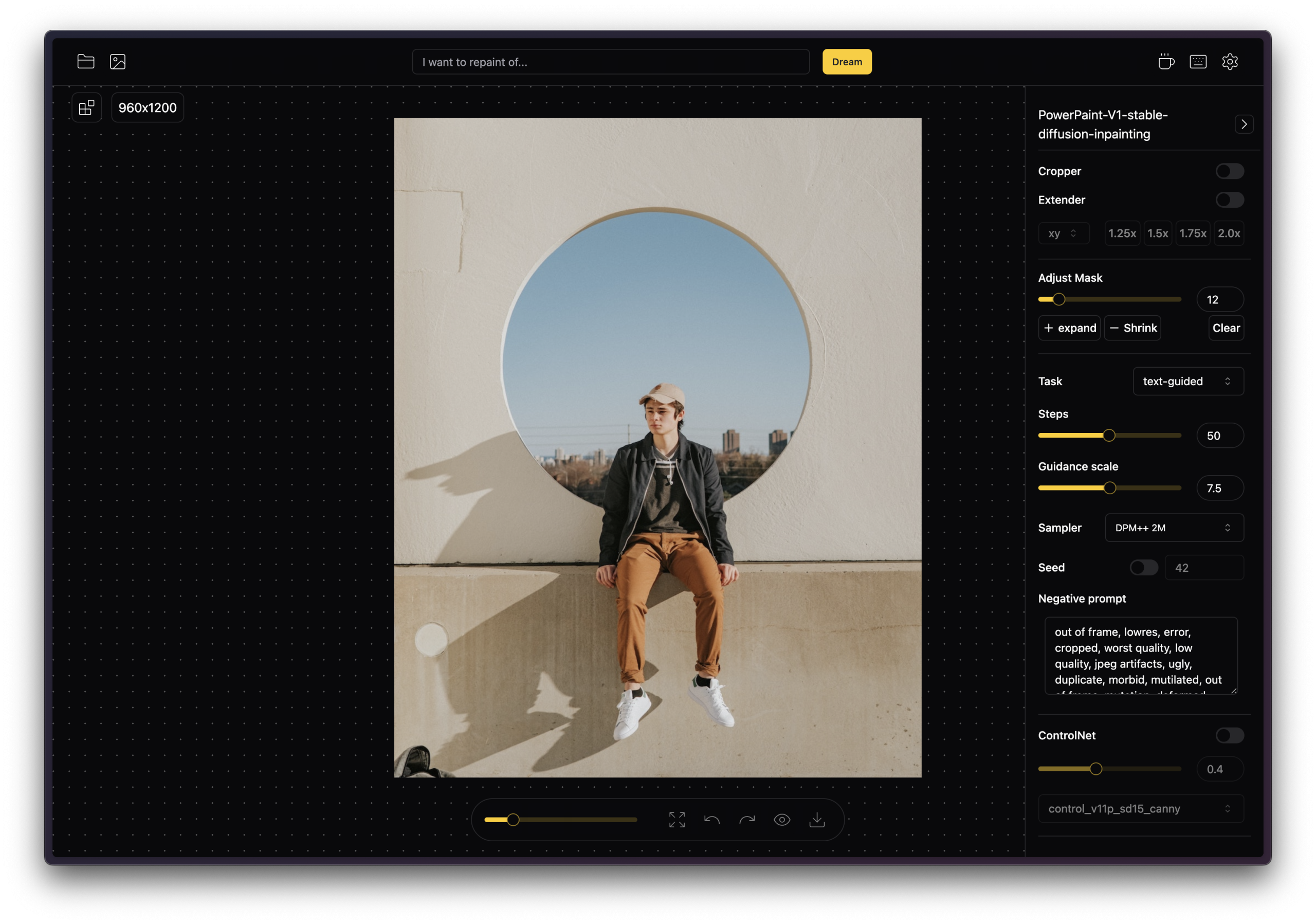
IOPaint offers a powerful solution for AI-driven image manipulation, bringing advanced inpainting, outpainting, and object removal capabilities directly to your local machine. This free, open-source tool allows photographers, designers, and general users to refine images with precision, ensuring privacy by processing everything offline.
Open-Source Image Inpainting for Object Removal and Fill
IOPaint is built around core AI functionalities for image editing. It excels at:
- Object Removal: Precisely erase unwanted elements, defects, watermarks, or even people from images.
- Object Addition/Replacement: Introduce new objects or swap existing ones, leveraging text-aware editing for contextual integration.
- Outpainting: Expand images beyond their original borders, generating new content that blends naturally with the existing canvas.
The tool supports a variety of AI models, including LaMa, MAT, and MIGAN for erasing tasks, and Stable Diffusion-based models (like Stable Diffusion 1.5, 2, and SDXL) for generation and replacement. It also integrates with ControlNet, LCM LoRAs, AnyText, and Kandinsky models, offering broad creative flexibility.
Free, Local, and No Content Filters Unlike Commercial Tools
IOPaint stands out by providing a user-friendly interface for complex AI image editing, often simpler than alternatives like ComfyUI or Automatic1111’s Stable Diffusion web UI. Its self-hosted nature ensures user privacy, as images are processed locally without relying on cloud services. The tool’s versatility in supporting a wide array of advanced AI models and its batch processing capabilities make it efficient for users handling multiple images.
LaMA, MAT, and ZIMAT Models with Plugin Support
IOPaint is designed for local operation and offers a web-based user interface along with a REST API for programmatic access. It runs on diverse hardware, including CPUs, GPUs (NVIDIA, AMD on Linux), and Apple Silicon. The architecture is pluggable, allowing for extensions like background removal (e.g., remove BG) and image upscaling (e.g., Real-ESRGAN).
GPU Recommended, Quality Varies by Model and Mask Size
IOPaint’s advanced features are resource-intensive, demanding significant GPU memory:
Installation can also be a hurdle for non-technical users. While a one-click installer exists (potentially for a small fee), the free installation often involves technical steps with Python, pip, and setting up virtual environments and PyTorch. Users have reported compatibility issues with newer PyTorch versions affecting plugins like Real-ESRGAN, and common bugs include "Unrecognized data format" errors, "White Page" errors in the web UI, and problems loading models with non-ASCII user paths on Windows. Furthermore, the main GitHub repository was archived on August 13, 2025, making it read-only, which could indicate a halt in active development or a shift in project management.
pip install or Docker, Web UI on Localhost
To begin using IOPaint, visit the official website at https://www.iopaint.com/. You’ll find instructions and resources for downloading and installing the software, typically involving Python and PyTorch setup for the free version. Once installed, launch the web-based interface to start editing your images.