
Creating AI-generated art on a Mac doesn’t have to involve complex setups or subscription fees. DiffusionBee offers a straightforward, free, and open-source solution for macOS users to explore generative AI art directly on their desktop.
One-Click Stable Diffusion on macOS (Apple Silicon + Intel)
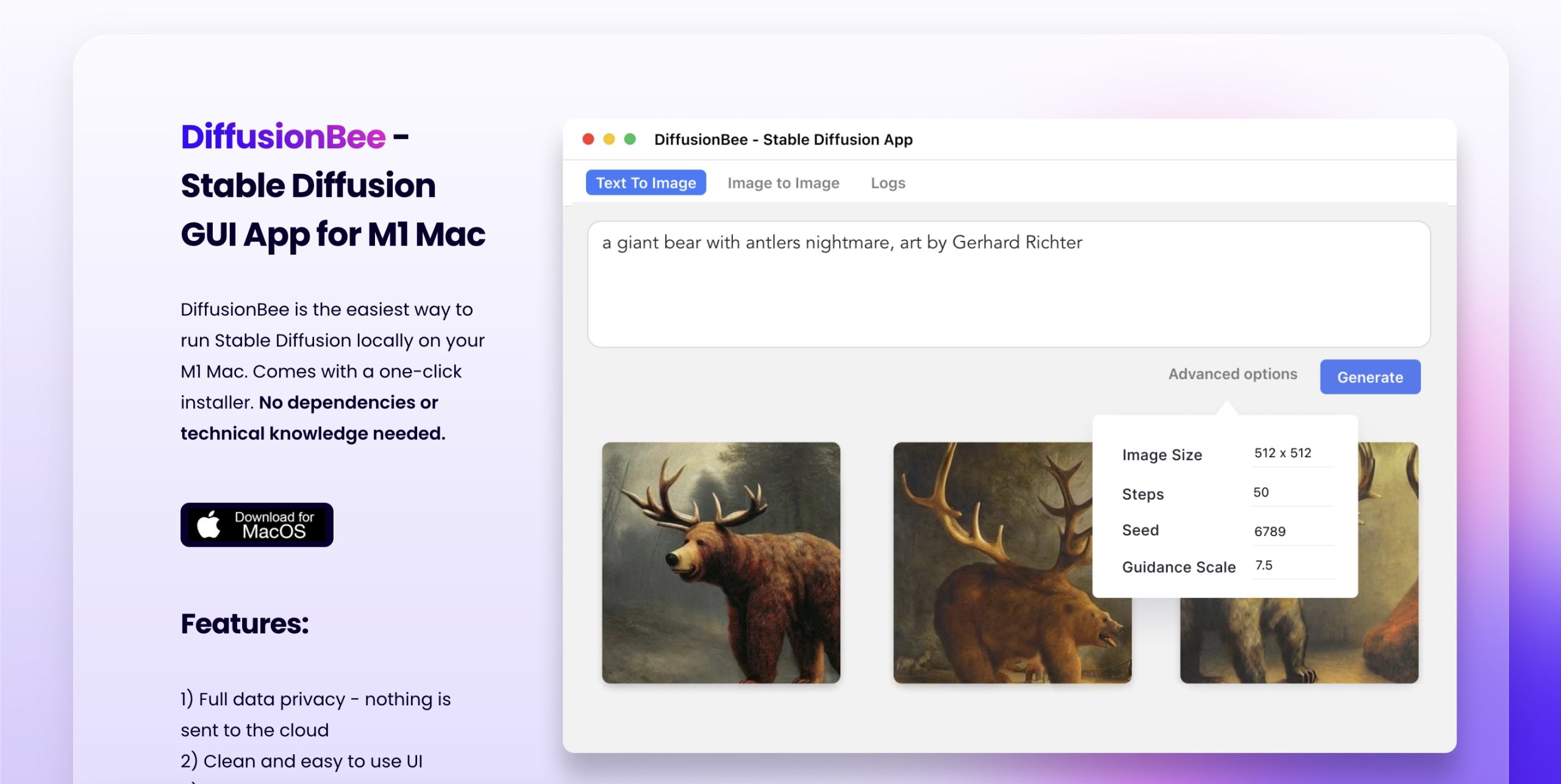
DiffusionBee provides a user-friendly graphical interface for AI image generation, making it accessible for beginners, casual users, artists, and designers. It’s particularly well-suited for those who want to experiment with AI art without a steep learning curve or technical dependencies. The tool’s one-click installer simplifies the setup process, allowing users to start generating images quickly.
Text-to-Image, Inpainting, Outpainting, and Upscaling
This application runs Stable Diffusion technology to perform various creative tasks:
- Text-to-Image Generation: Create images from descriptive text prompts.
- Image-to-Image Transformation: Convert existing images into new styles or variations.
- Inpainting & Outpainting: Edit specific parts of an image or extend its boundaries.
- Image Upscaling: Enhance the resolution of generated images.
- Model Management: Download various Stable Diffusion models, including SD 1.5, SDXL, and FLUX, directly within the app.
- Generative Fill & Illusion Generator: Explore advanced creative effects.
- Video Tools: Create animations from images.
- Custom Model Training: Train personalized models using your own datasets.
All processing happens entirely offline on the user’s device, ensuring privacy and security for creative work.
Zero Data Upload, No Subscription, Runs Entirely Local
DiffusionBee’s 100% offline operation is a key differentiator. This means prompts and generated images never leave your device, offering maximum data privacy. This contrasts with cloud-based alternatives like Midprocess or DALL-E 3, which often involve subscription costs and less control over personal data. It provides a cost-free sandbox for experimentation, valuable for testing prompts and models without incurring API expenses.
Compvis Backend, Core ML Acceleration, 8GB RAM Minimum
DiffusionBee is built exclusively for macOS, requiring macOS 12.5.1 or higher. It’s optimized for Apple Silicon (M1/M2 chips), which provides faster performance, though it also runs on Intel-based Macs. The application supports various community-trained Stable Diffusion models, which can be downloaded directly. Generated images come with a CreativeML Open RAIL-M license, permitting commercial use.
Mac Only, Slower on Intel Macs, No Native SDXL Support
DiffusionBee has certain limitations that affect its feature set:
- Image Quality: Image quality can be inconsistent without careful prompting and model selection. Early versions lacked features like specifying a seed, custom models, batch generation, sampler selection, or prompt weighting.
- Development Pace: The development of DiffusionBee can be slower than larger community projects.
- Technical Issues: Some users have reported issues such as problems importing downloaded SDXL models, grid-like textures from Flux-Dev rendering, low-quality inpainting, and non-functional LoRA models. The upscaler may sometimes enlarge images without true enhancement.
- Storage: Models downloaded by the app aren’t automatically removed upon uninstallation, potentially leaving several gigabytes of data on your Mac.
- Performance: Intel-based Macs may experience slower performance compared to Apple Silicon devices.
- AI Limitations: As with any statistical AI model, the underlying Stable Diffusion can amplify societal biases and may not always generate output that perfectly matches prompts.
Download DMG, Drag to Applications, Generate
To begin generating AI art, visit the official DiffusionBee website at https://diffusionbee.com/. Download the application for your Mac, install it, and launch it to start creating images locally.