

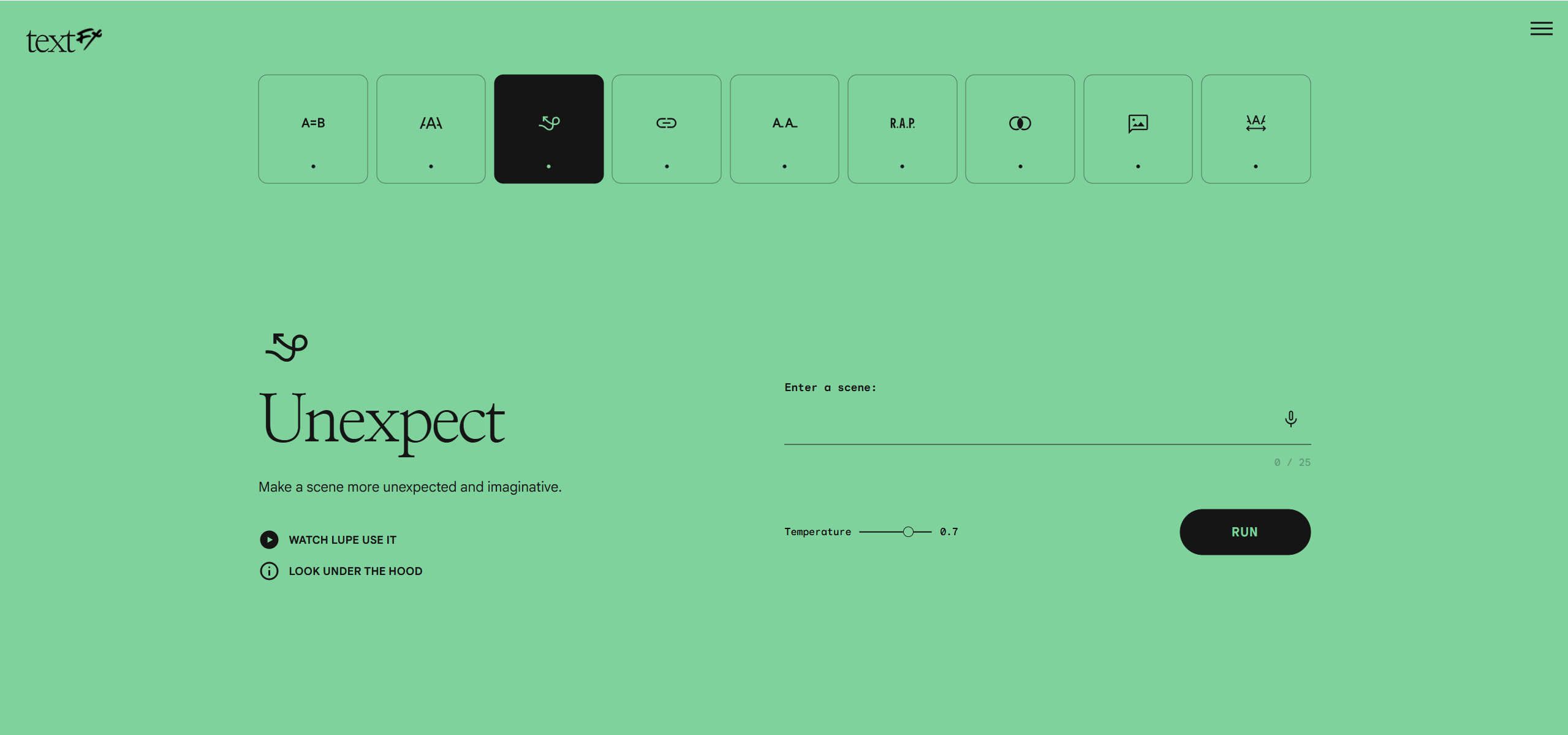
TextFX is a free AI writing tool from Google, developed with rapper Lupe Fiasco, that provides 10 distinct modules for exploring creative language. Writers, poets, lyricists, and content creators can use it to spark inspiration through simile generation, word explosion, unexpected scene twists, and other linguistic manipulations powered by Google’s PaLM 2 model.
Lupe Fiasco x Google: 10 AI Tools for Writers and Lyricists
TextFX operates by providing a focused set of tools that manipulate text in distinct ways, helping users generate ideas and expand their creative vocabulary. It’s powered by Google’s PaLM 2 large language model via the PaLM API, ensuring sophisticated language processing. The tool’s web interface is minimal and user-friendly, allowing for quick ideation.
Users can control the AI’s output creativity using a "temperature" slider, ranging from 0 to 1. A higher setting introduces more randomness, potentially leading to more surprising results. The code for TextFX is open-sourced, and it functions as a standalone web experience without requiring an account, though signing in with Google saves user history.
Simile, Acronym, Unpack, and 7 More Text Manipulations
TextFX offers a diverse set of tools, each targeting a specific aspect of creative language generation:
- Simile: Generates comparisons for given concepts.
- Explode: Breaks down words into related phrases, expanding on their meaning.
- Unexpect: Introduces surprising twists or elements into scene descriptions.
- Chain: Builds sequences of words based on associations.
- POV: Helps evaluate topics from different viewpoints or perspectives.
- Alliteration: Curates topic-specific words starting with a chosen letter.
- Acronym: Creates acronyms from provided text or concepts.
- Fuse: Finds common ground or connections between unrelated ideas.
- Scene: Generates vivid and descriptive scene details.
- Unfold: Inserts a word into existing phrases or unpacks abstract concepts.
This collection of tools makes TextFX particularly strong for brainstorming, ideation, and overcoming writer’s block, speeding up the initial phases of content creation for various mediums like marketing copy, social media posts, blog articles, poetry, and lyrics.
Songwriters, Poets, and Creative Writing Teachers
TextFX is primarily aimed at individuals engaged in creative writing and content generation. This includes:
- Writers and Poets: For generating new ideas and exploring linguistic styles.
- Rappers and Lyricists: To develop unique wordplay and lyrical content.
- Content Creators: For crafting engaging marketing copy, product descriptions, and social media ads.
- Wordsmiths: Anyone looking to expand their vocabulary and creative expression.
It excels at expanding the writing process by generating creative possibilities with text and language, rather than attempting to write full articles, making it more specialized than general-purpose LLMs for specific creative text manipulation tasks.
Experimental Tool, Limited Output Control
While TextFX is a powerful tool for creative ideation, it has specific limitations. It isn’t designed for formal writing, grammar correction, or SEO content generation, and it lacks features for structured content creation and editing. Users might find that generated suggestions aren’t always highly relevant, can sometimes lack originality, or become repetitive. There are also limitations on the length of prompt inputs. The tool primarily supports English, with limited functionality for other languages, and it operates as an online-only tool without a mobile app or offline mode. Higher "temperature" settings, while increasing creativity, can sometimes lead to illogical outputs, and some tools may have limited practical application for all users. Over-reliance on such tools could also potentially reduce natural human creativity over time.
Free Web Tool, No Account Required
TextFX is completely free to use. To begin, simply visit the official website: https://textfx.withgoogle.com/. Select one of the 10 available language modules, input your text or concept, adjust the "temperature" setting if desired, and review the generated results. You can pin preferred outputs and download them for later use.