
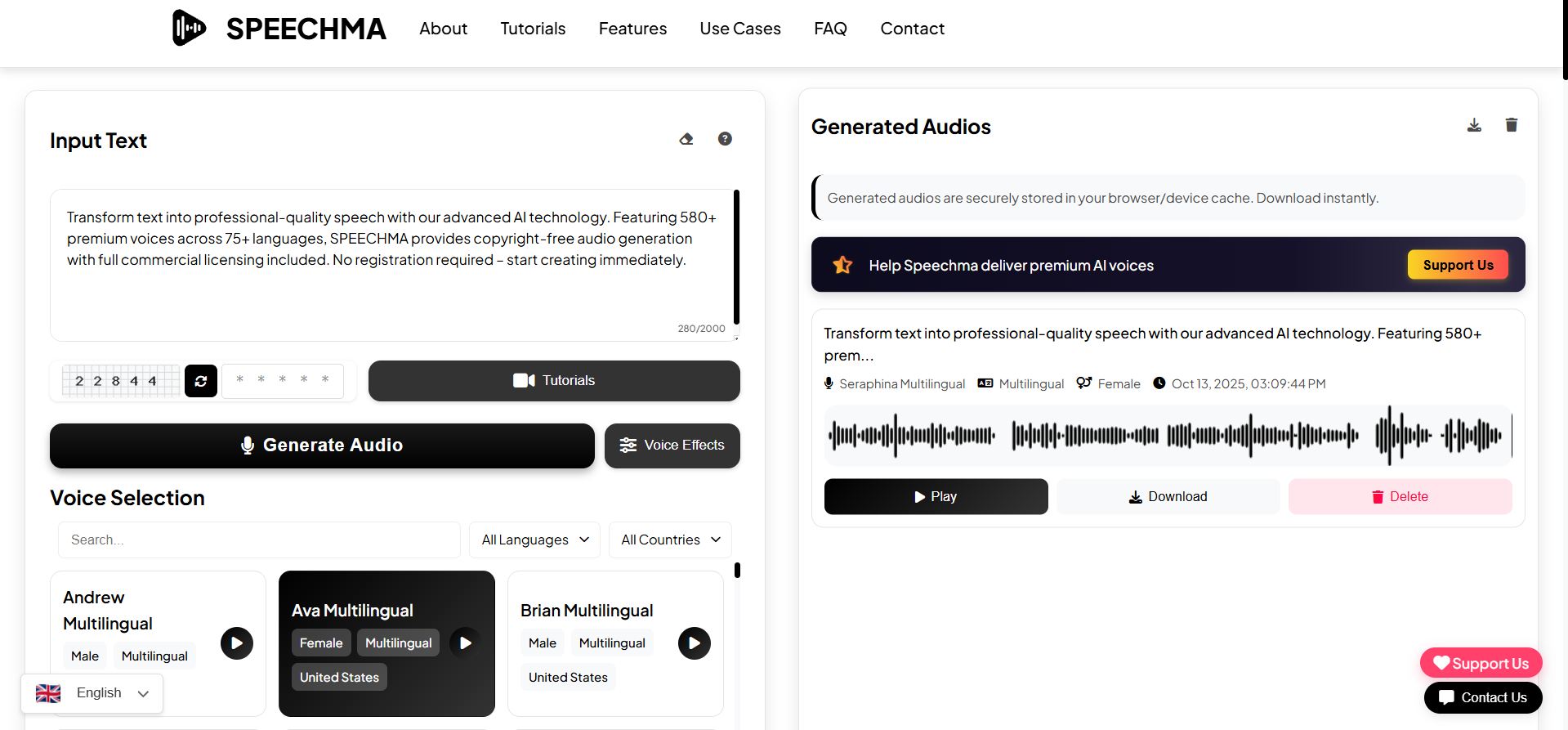
Speechma is a free, browser-based text-to-speech platform that converts written text into spoken audio using natural-sounding AI voices. No downloads or subscriptions are required — users can paste text, select a voice, and generate audio directly.
Transforming Text into Spoken Audio
Speechma’s core function is to convert text into audio. It uses advanced AI algorithms to produce realistic, human-like voices. Users simply input text, choose from a selection of voices, and then download the generated audio file. The platform supports over 580 AI voices across more than 75 languages and dialects, including various accents and genders.
YouTube Creators, Educators, and Marketers
The tool serves a wide range of users. Content creators for platforms like YouTube, TikTok, and podcasts can use it for voiceovers. Educators can integrate it into e-learning materials and presentations. Marketers find it useful for advertisements and product demos. Additionally, it enhances accessibility for written content by providing an audio alternative.
580+ Voices, 75 Languages, and MP3 Export
Speechma provides several features to facilitate audio generation:
- Voice Customization: Users can adjust voice settings such as pitch, speed, and volume. It also allows for the insertion of natural pauses to make the speech sound more lifelike.
- Output Format: Generated audio files are instantly downloadable in MP3 format.
- Character Limits: The free version supports approximately 2,000 characters per generation. The premium "Speechma Pro" version extends this to 10,000 characters.
- Privacy: For free users, audio files are stored locally in the browser cache, ensuring content isn’t uploaded externally.
- Commercial Use: All generated audio includes a commercial license, permitting its use in monetized projects.
Browser-Based: Paste, Select, Download
Getting started with Speechma is straightforward. Users visit the website, paste their text into the input field, select a voice, and initiate the conversion. The generated MP3 file can then be downloaded directly.
Free with Ads vs. .50/Month Pro Tier
Speechma is largely free to use, offering its core features without subscription fees. However, the free version requires users to watch ads to unlock unlimited usage and involves repetitive CAPTCHA verification for multiple generations. For those seeking an uninterrupted experience, "Speechma Pro" is available for approximately $1.50/month. This premium tier removes ads and CAPTCHAs, increases the character limit to 10,000 per generation, and provides access to dedicated fast servers.
CAPTCHA Fatigue, 2000-Char Limit, and Quality Gaps
While Speechma offers a convenient free service, it has some limitations. The free version’s ads and CAPTCHA verification can be repetitive. Customization options aren’t as extensive as those found in more advanced, paid text-to-speech services. The audio quality, while generally good, may not match professional voice actors or premium platforms like ElevenLabs. The 2,000-character limit in the free version means longer scripts need to be broken into smaller segments. Additionally, audio files stored in the browser cache may be lost if the cache is cleared. Some users have reported technical issues, such as "Request failed with status: 403" errors, and the quality of non-English voices might not always match that of English voices. The tool also lacks advanced features like SSML support or voice cloning in its free tier. Speechma’s disclaimer notes that the TTS functionality may not perfectly reflect the intended meaning or nuance of complex text or specific dialects.